



How Inovaxe Streamlined Sales Reporting with HubSpot and Google Sheets
This case study explains how integrating HubSpot with Google Sheets helped streamline sales reporting by automating data flow, reducing manual effort, and improving visibility into sales performance.
About the Client
Inovaxe is a manufacturing company focused on improving operational efficiency and sales performance. Using HubSpot CRM to manage deals, the team relied on Google Sheets for reporting, analysis, and performance tracking.
Industry: Manufacturing
Company Size: 11 – 50 employees
Location: United States
Use Case: Sales Revenue Report
Tools Used

About the Client
Inovaxe is a manufacturing company focused on improving operational efficiency and sales performance. Using HubSpot CRM to manage deals, the team relied on Google Sheets for reporting, analysis, and performance tracking.
Industry: Manufacturing
Company Size: 11 – 50 employees
Location: United States
Use Case: Sales Revenue Report
Tools Used
Industry: Manufacturing
Company Size: 11 – 50 employees
Location: United States
Use Case: Sales Revenue Report
Tools Used
Overview: Aligning Reporting with HubSpot and Google Sheets
While HubSpot effectively captured and managed sales data, the reporting process was not fully aligned with how the team preferred to analyze performance within Google Sheets.
The goal was clear:

Simplify access
to sales data

Enable structured and consistent reporting

Reduce manual effort in data handling

Maintain flexibility within Google Sheets
Simplify access
to sales data

Enable structured and consistent reporting

Reduce manual effort in data handling

Maintain flexibility within Google Sheets
Who This Solution is for
- Sales teams using HubSpot CRM
- Teams managing reports in Google Sheets
- Businesses relying on manual data exports
- Organizations looking to automate sales reporting
The Challenge: Managing HubSpot and Google Sheets Across Platforms
Despite having a strong CRM in place, Inovaxe faced challenges in converting data into actionable insights.
Limited Reporting Flexibility
Data in HubSpot was not easily adaptable for detailed analysis in Google Sheets
Manual Processes
Exporting deal data required time and repetitive effort
Data Inconsistency
Manual handling increased the chances of errors
Disconnected Workflow
HubSpot and Google Sheets were not integrated, highlighting the need for a more structured
CRM integration approach.
The Strategy: Connecting HubSpot and Google Sheets for Reporting
To address these challenges, we designed a solution that aligned with the team’s workflow while improving efficiency through
HubSpot reporting automation.
Automated Data Integration
- We connected HubSpot with Google Sheets for continuous data synchronization
- We enabled automatic extraction of deal-related information
Structured Data Mapping
We captured key deal properties such as:
- Deal amount
- Deal owner
- Deal stage
- Quotes
- Close date
Reporting Framework Setup
- We transformed Google Sheets into a structured reporting dashboard
- We created templates to support:
- Monthly performance tracking
- Yearly sales analysis
- Aggregated reporting insights
Workflow Alignment
- We reduced reliance on manual exports
- We ensured consistent data flow between systems
- We aligned reporting with the team’s existing processes
The Results: Improved Reporting Efficiency and Visibility
With the integration in place, Inovaxe improved how sales data was managed and used for reporting.
- Reduced reliance on manual data extraction
- Enabled direct access to updated sales data within Google Sheets
- Improved consistency in reporting across the team
- Simplified tracking of monthly and yearly performance
- Provided clearer visibility into deals and sales activities
From Raw Data to Structured Reporting
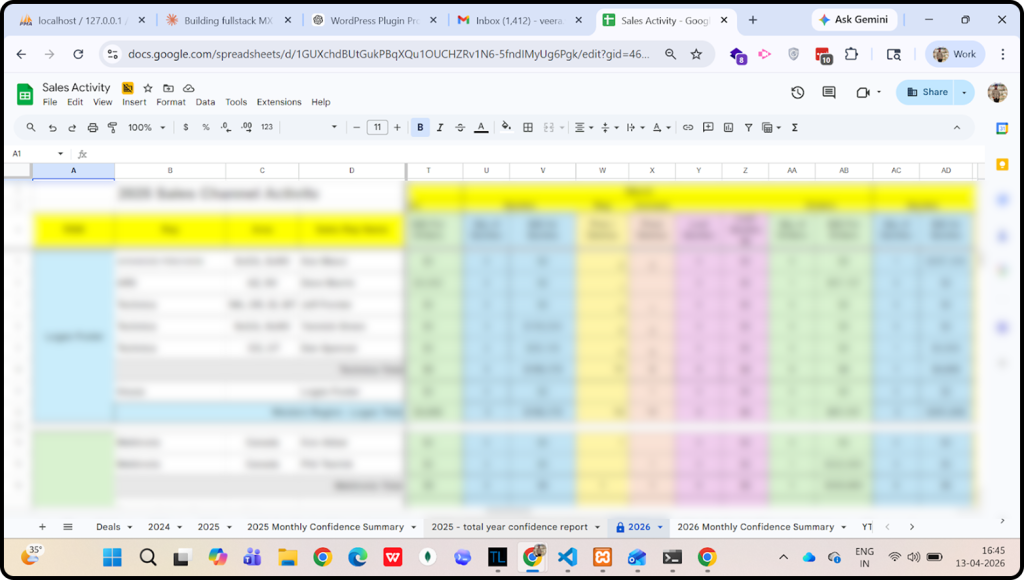
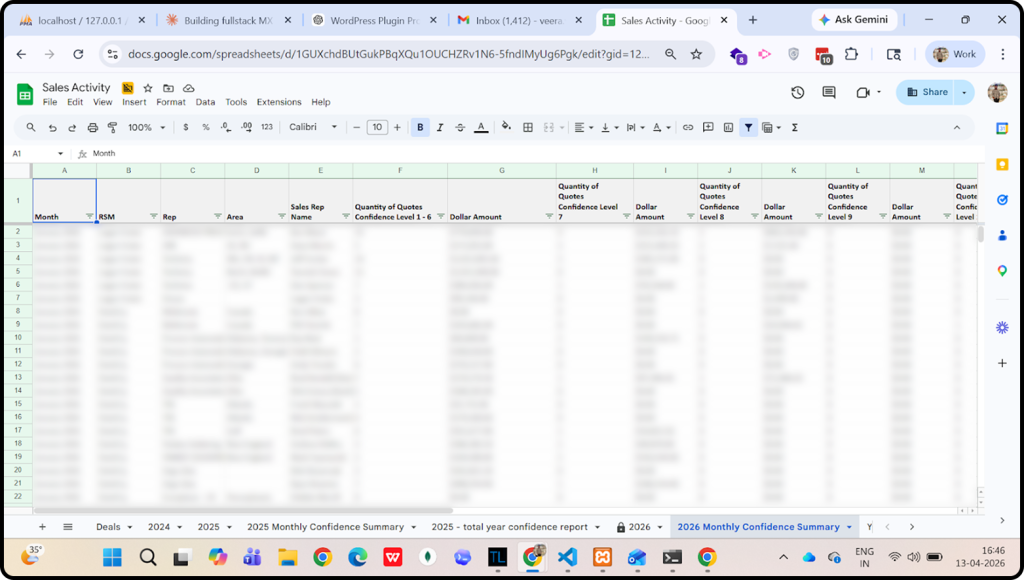
The implementation transformed unstructured sales data into organized Google Sheets dashboards, enabling teams to track performance across regions, reps, and time periods in a single view.
Overall Impact
The implementation delivered measurable improvements across processes, usability, and long-term reporting capabilities:
Streamlined Business Processes
- Reduced repetitive data handling tasks
- Created a more structured reporting workflow
- Enabled quicker access to performance insights
Enhanced User Experience
- Teams can work within Google Sheets, a familiar environment
- Reduced the need to switch between multiple platforms
- Simplified reporting with pre-built templates
Long-Term Value
- Established a reliable and scalable reporting system
- Improved alignment between HubSpot data and reporting needs
- Created a foundation for future reporting enhancements and automation
- Supported better planning and decision-making
Client Testimonial
“Arissa helped us seamlessly connect HubSpot and Google Sheets to streamline our sales reporting. This reduced manual effort, improved data accuracy, and gave our team clearer visibility into performance, making reporting more efficient and reliable.”
Conclusion
By connecting HubSpot and Google Sheets, we helped Inovaxe move from manual reporting to a more structured, integrated system.
This made it easier to access data, track performance, and focus on insights without the friction of manual processes.
Key Takeaways
- HubSpot and Google Sheets integration improves reporting efficiency
- Automation reduces manual work and errors
- Structured dashboards improve visibility into sales performance
- Teams gain faster access to actionable insights
Frequently Asked Questions (FAQs)
Integrating HubSpot with Google Sheets helps automate data transfer, reduce manual work, and improve reporting accuracy.
Yes, HubSpot data can be synced to Google Sheets using integrations or automation workflows to enable real-time reporting.
Google Sheets provides flexibility, customization, and ease of use for analyzing and visualizing sales data.
Automation reduces errors, saves time, and ensures consistent access to updated data for better decision-making.
Arissa helped Inovaxe connect HubSpot with Google Sheets by implementing automated data synchronization, structuring reporting dashboards, and reducing manual data handling. This enabled the team to access accurate data faster and improve overall sales reporting efficiency.
Need help?
Your marketing success begins here. Contact us now.