
Lead databases grow fast.
Files get uploaded by different teams. The same companies appear in multiple lists. Contacts get reused across campaigns. Nobody is completely sure which leads belong to which project.
Lead Inventory Management Tool gives your team one controlled place to discover, organize, search, manage, and track lead data across industries and projects.
Unlike a marketing automation platform, the Lead Inventory Management Tool doesn’t run campaigns or workflows—it’s the deduplicated, searchable contact database those workflows pull from.
As lead generation scales, the challenge changes.
It is no longer just “Where do we find more leads?”
It becomes:
Do we already have this contact?
Which project is using this lead?
Which industry does it belong to?
Who uploaded it?
Can this lead be used for another project?
Is the contact information reliable enough to use?
The Lead Inventory Management Tool helps answer those questions before you create, purchase, search, or upload another list.
This principle is at the center of the platform. Lead data can be organized by industry and project, helping teams maintain clearer separation between different prospecting initiatives.
When a lead or contact is already being used within one project, the system helps prevent that same record from being unknowingly reused across other projects. That means less overlap, fewer duplicate outreach attempts, and a cleaner lead inventory.
Know what you have. Know where it belongs. Avoid using it twice.
Instead of opening spreadsheets, searching old files, or asking different team members whether a lead has already been used, start with the database.
Browse and manage the complete contact inventory from one searchable environment.
Search and filter records using information such as:
Use filters such as:
Find the records you need without manually searching through separate datasets.
Lead data does not always arrive from the same source. The platform provides teams with a structured way to add new records while keeping them connected to the broader inventory.
Upload lead lists into the database and associate them with the appropriate project.
Pull selected contact data when it is needed for outreach, analysis, or another workflow. Narrow the database by the criteria that matter instead of exporting everything.
Review, update, or remove contact records directly from the directory.
The goal is simple: Your lead inventory remains useful even as the database grows.
The platform also supports lead discovery through Google Places. Search for relevant businesses, save the results, and build prospect lists without separating discovery from inventory management.
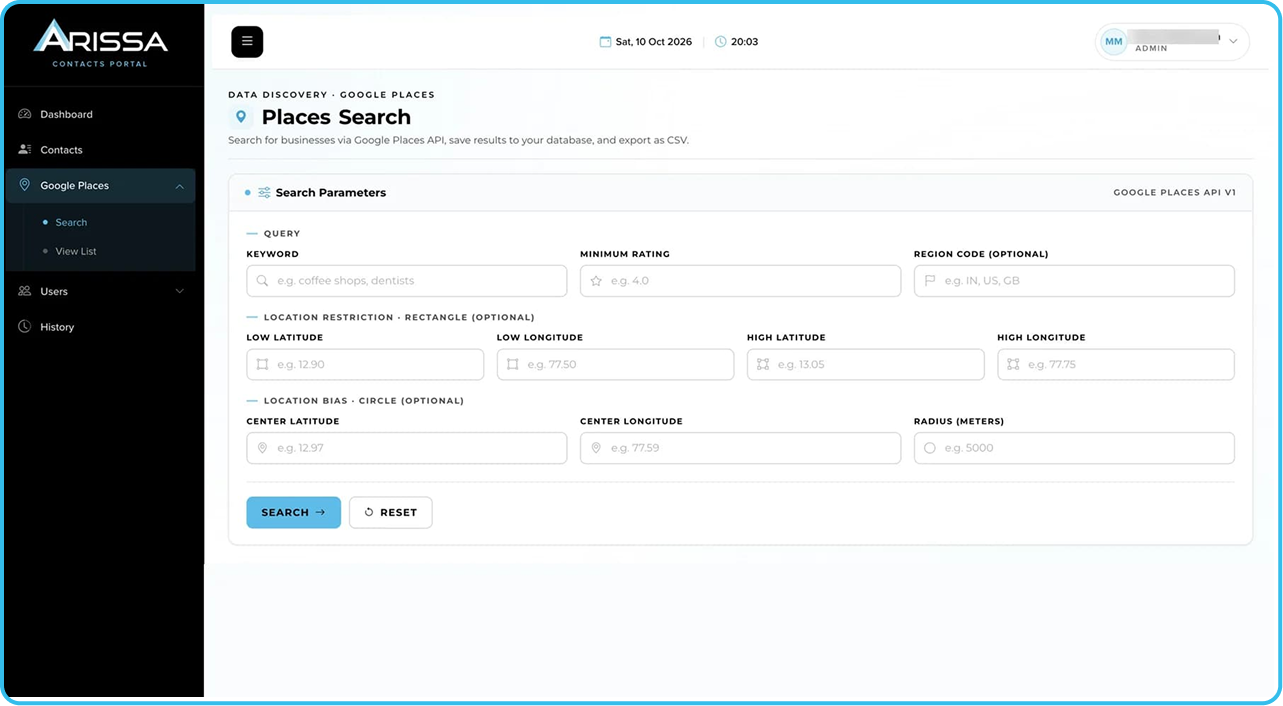
Use search parameters including the options below. Refine searches around the geography and business category relevant to the campaign.
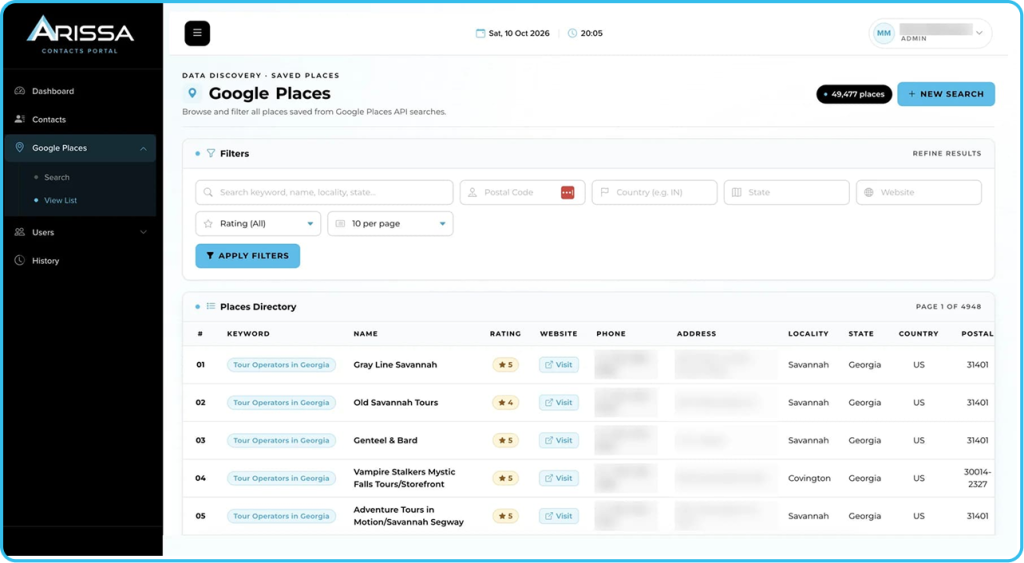
Filter the results, review relevant businesses, and export data when required.
This turns Google Places from a one-time search into a reusable lead-discovery resource.
Before a team starts another outreach campaign, the platform helps answer four simple questions.
Do We Already Have Them?
Search the existing contact database before sourcing the same lead again.
Where Does the Lead Belong?
Keep contacts organized around the appropriate industry and project.
Has the Lead Already Been Used?
Reduce the risk of the same contact being repeatedly assigned across different projects.
Is the Data Ready to Use?
Review available contact details and email verification status before moving records into outreach.
Search first. Assign clearly. Use deliberately.
When the database contains thousands — or hundreds of thousands—of contacts, individual records only tell part of the story. The dashboard gives teams a broader view of how lead data is distributed and how the inventory is growing.
Understand how contacts are distributed across different industries. See where the database is strongest and where inventory may be limited.
Review how contact uploads change over time. Filter activity by year and project to understand how the database is being built.
See which projects are receiving new data and how much has been added.
Instead of treating lead files as isolated uploads, teams can see how the inventory develops over time.
A growing lead database also needs accountability. The platform maintains activity history so administrators can understand how data entered the system.
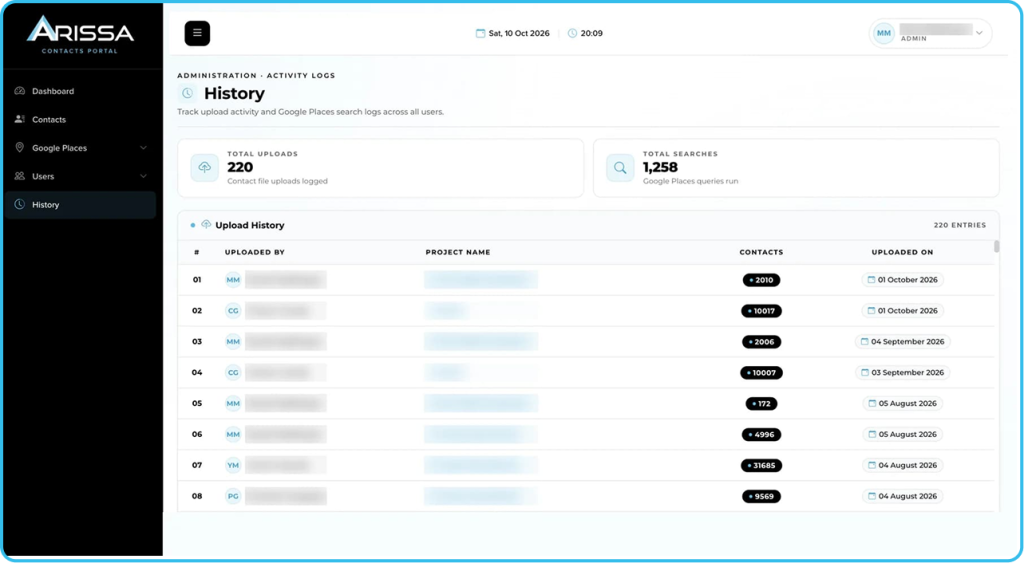
See who uploaded the contacts, which project received them, how many contacts were added, and when the upload happened.
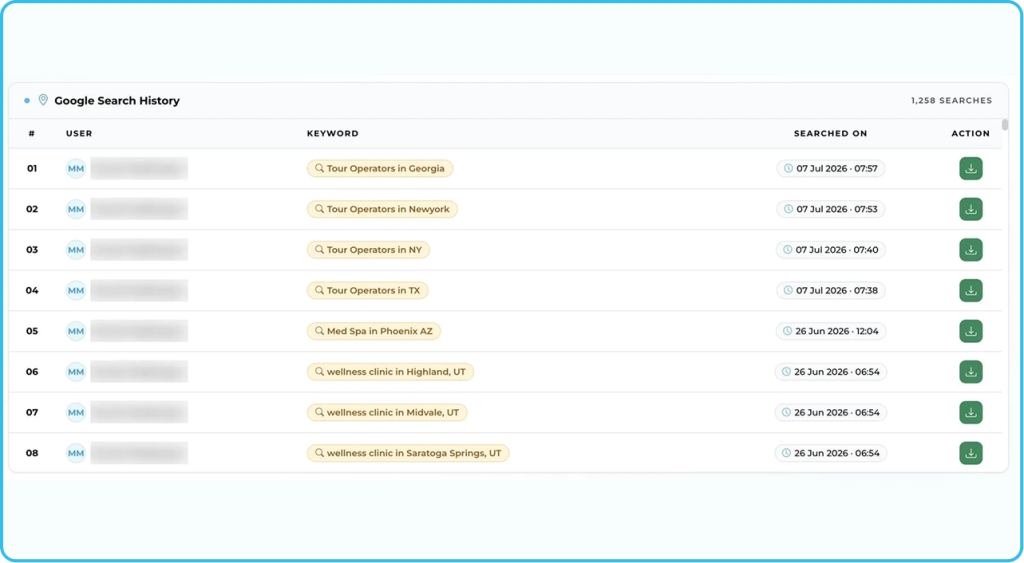
Track Google Places searches performed through the platform.
This creates a clearer record of both lead acquisition and lead discovery activity.
Not everyone working with lead data needs the same level of access. Built-in user management allows administrators to create accounts and assign appropriate roles.
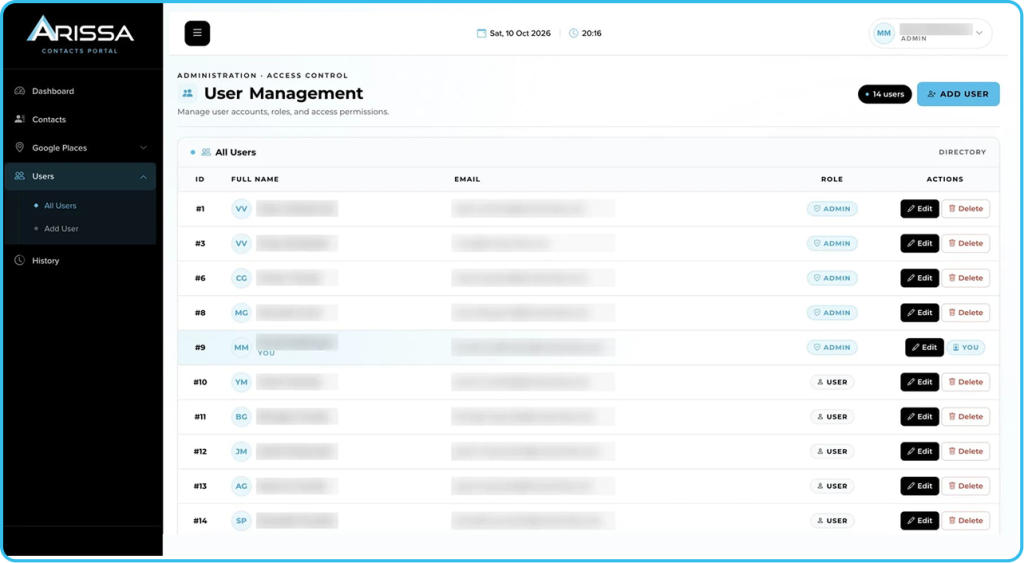
Higher-level platform administration and control.
Management-level access to supported platform areas.
Controlled access for team members working within the system.
Role-based access helps keep a large shared database manageable without giving every user the same level of control.
Build, search, organize, and manage prospect databases without constantly recreating existing lists.
Access cleaner project-specific datasets before starting outreach.
Maintain clearer industry and campaign segmentation across prospect data.
Track uploads, database growth, user activity, and project ownership.
Manage lead inventories across multiple clients and campaigns while reducing cross-project overlap.
Stop rebuilding lists you already own. Keep projects separated. Make lead discovery easier. Give your team one place to understand and manage the inventory behind your outreach.
Lead Inventory Management Tool helps turn scattered prospect data into a controlled, searchable lead asset.
Yes. Dashboard reporting provides visibility into industry distribution and contact upload activity over time.