
Built for Marketing Teams Sending at Scale
 Google Partner
Shopify Partner
20+ Years of Experience
Google Partner
Shopify Partner
20+ Years of Experience
Google Partner
Shopify Partner
20+ Years of Experience
Google Partner
Shopify Partner
20+ Years of Experience
Audience, campaigns, automation, delivery, and reporting in one system, with your own sending domains and delivery setup. So email stops living across five tools, and nobody has to guess what’s actually being sent.
Set up and managed for your marketing team by Arissa.
Managing Email Shouldn’t Require Checking Five Different Tools
A single email campaign involves subscriber lists, campaign creation, delivery settings, user access, and reporting.
When these activities happen across separate tools, teams spend more time coordinating than managing campaigns. It becomes harder to track sending configurations, repeat campaigns, and understand results.
Email Tester brings these activities into one platform, giving your team a connected way to manage email operations.
Running email for clients? Email Tester gives every client its own account and limits. See the agency section below.
What Email Tester Provides
Audience Management
Organize subscriber data, lists, and targeted segments.
Campaigns & Automation
Create regular, scheduled, recurring, automated, mass, and A/B test campaigns.
Email Creation
Build emails using templates, multiple builders, drag-and-drop editing, and personalization.
Delivery Infrastructure
Configure sending servers, SMTP connections, domains, supported email providers, and warm-up plans.
Deliverability & Sending Controls
Manage authentication, suppression lists, blacklists, bounces, and complaints.
Analytics & Reporting
Review opens, clicks, delivery issues, and campaign performance.
Team Access & Platform Controls
Manage user permissions, account security, API access, and platform settings.
See the Whole Picture at a Glance
As email activity grows, visibility becomes just as important as functionality.
The central dashboard brings key email activity into one view.
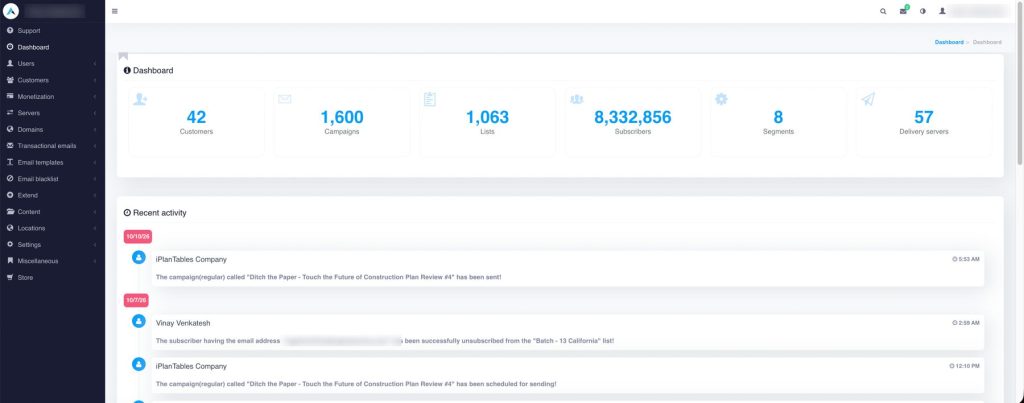
Campaign Overview
See recent, scheduled, recurring, and automated campaigns from one view.
Audience Overview
Track lists and subscribers without digging through multiple areas.
Delivery Overview
Monitor the delivery servers powering your campaigns.
Recent Activity
Stay on top of important changes across the platform.
Turn a Growing Contact Database Into an Audience You Can Actually Use
More subscribers should create more opportunity—not more clutter.
Email Tester provides the list management and segmentation capabilities needed to organize contact data.
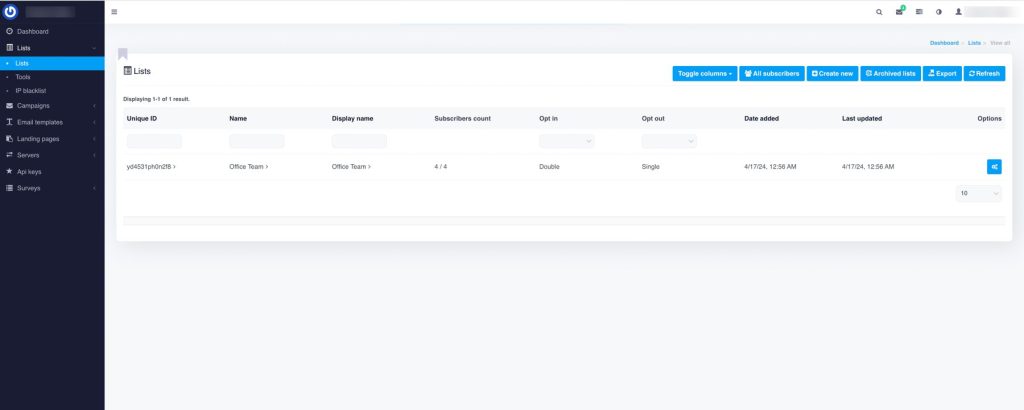
Email Lists & Subscriber Management
Create separate lists for different audiences, campaigns, brands, or goals. Add, update, and organize subscriber data from one place.
List Forms & List Pages
Manage forms connected to your subscriber lists and configure subscription and unsubscribe experiences.
Import & Export
Move subscriber data in or out when needed.
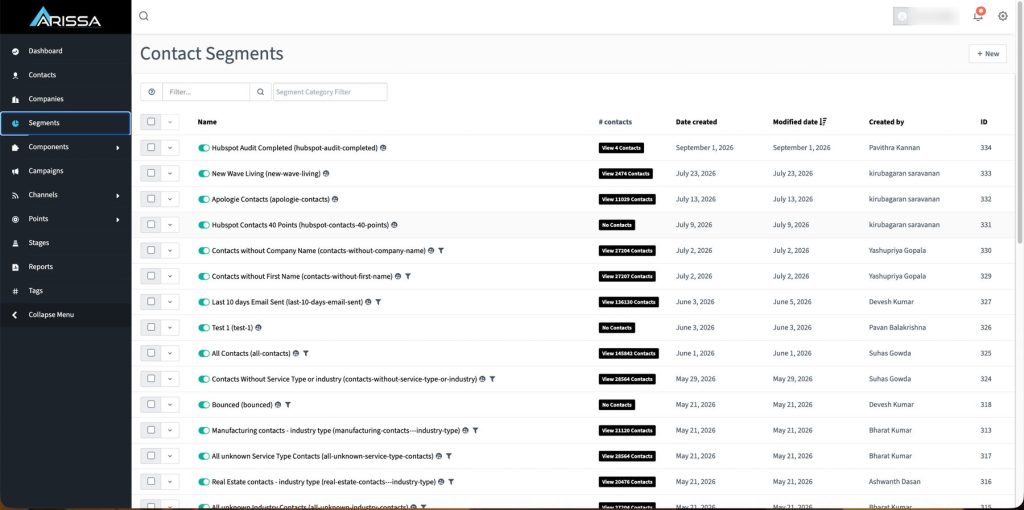
Segmentation & Custom Fields
Build targeted groups so campaigns reach the right audience, and capture the subscriber information that matters to your business.
List Splitting & List Syncing
Divide larger lists into smaller groups for greater sending control, and keep selected lists aligned across different use cases.
Send the Right Message Without Repeating the Same Work
Not every campaign should require manual effort from start to finish.
Manage one-time campaigns and ongoing communication through different campaign types and automation options.
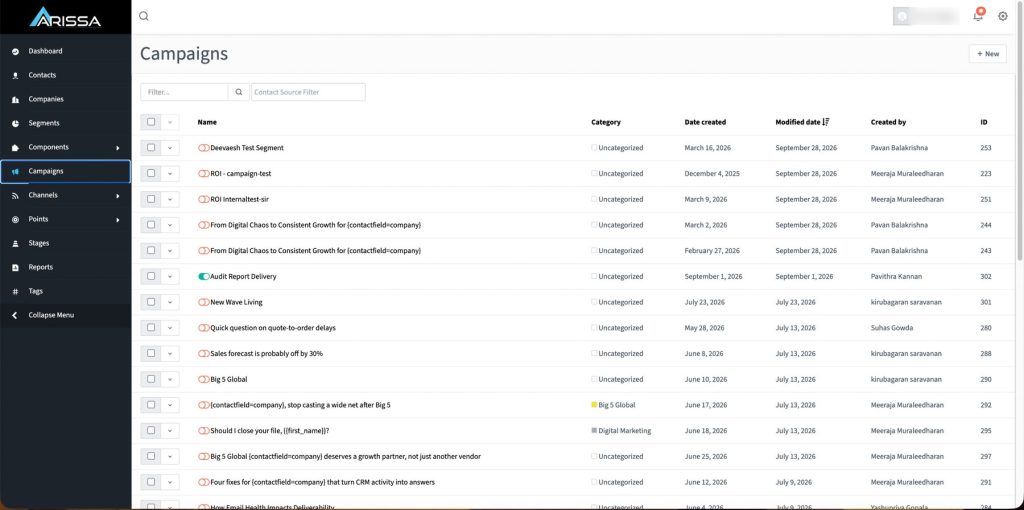
Regular Campaigns
Create newsletters, promotions, announcements, updates, and other one-time campaigns.
Scheduled & Recurring Campaigns
Build campaigns now and send them when the timing is right, or keep repeat communication running on a defined schedule.
Autoresponders
Create automated sequences that continue without manual sending.
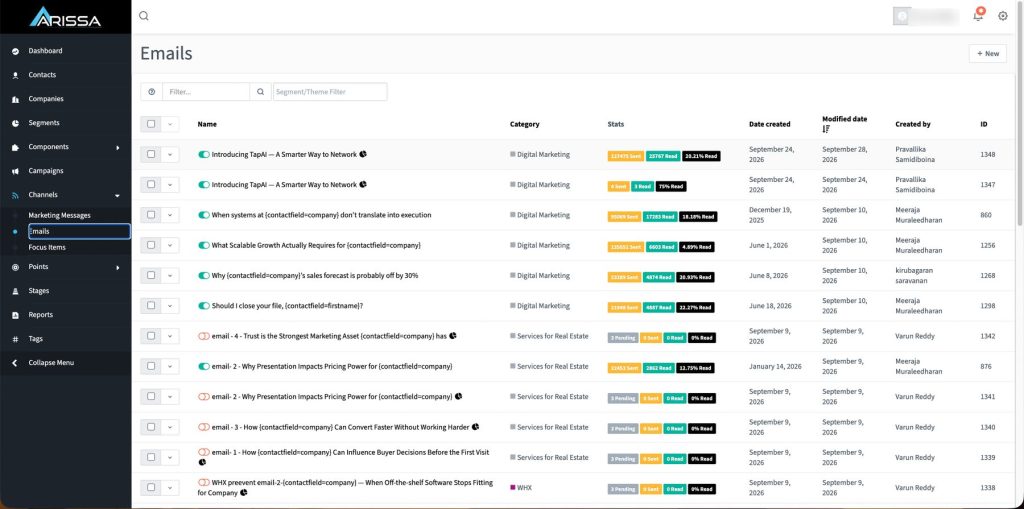
Campaign Groups & Campaign Tags
Keep related campaigns organized together and categorize campaigns for easier management.
A/B Testing & Mass Emails
Compare campaign variations and understand which approach performs better. Send broader updates when you need to reach a larger audience at once.
Email Box Monitors
Monitor selected inboxes and trigger subscriber actions based on incoming emails.
Build Better Emails Without Starting From Zero
Create campaigns fast without sacrificing flexibility.
Create and maintain reusable email designs with editing options suited to your team.
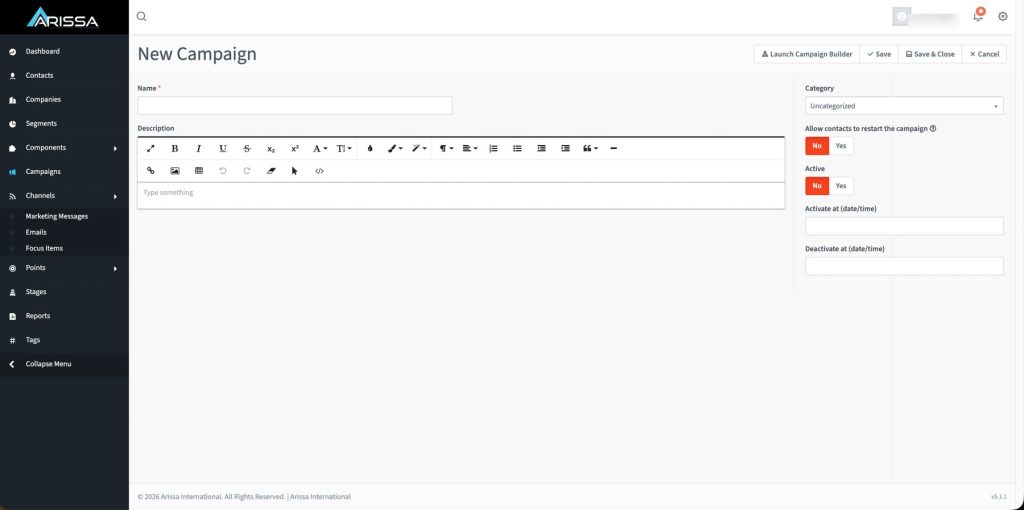
Email Templates & Template Management
Reusable designs for newsletters, promotions, follow-ups, announcements, and recurring communication, kept ready for your next send.
Multiple Email Builders
Choose the editing experience that works best for your team.
Drag-and-Drop Editing
Build and update layouts visually without recreating every campaign.
Personalization
Use subscriber information to make emails more relevant.
Take Control of What Happens After You Click Send
Campaign creation is only half the job.
Configure the infrastructure that supports outgoing campaigns and delivery management.
Delivery Servers & SMTP Support
Manage the servers responsible for sending your emails and connect SMTP servers for outbound email delivery.
Email Provider Support
Work with supported third-party delivery providers.
Bounce Servers & Feedback Loop Servers
Handle failed delivery responses through dedicated bounce infrastructure and process complaint feedback returned by supported providers.
Sending Domains & Tracking Domains
Connect and manage domains used for outgoing campaigns, and use dedicated domains for campaign tracking links.
Warmup Plans
Increase sending activity gradually using structured warm-up plans.
Build a Stronger Foundation for Every Campaign
Even the best campaign can struggle if you don’t manage the sending environment properly.
Manage the authentication and recipient controls associated with your sending environment.
SPF & DKIM Settings
Manage authentication settings connected to your sending domains.
DKIM Signatures
Apply configured DKIM signatures to outgoing campaigns.
Suppression Lists & Global Email Blacklist
Exclude selected recipients from specific campaigns without removing them completely, and prevent selected addresses from receiving email across the platform.
Blacklist Monitoring & Blacklist Rules
Keep visibility into blacklist activity and define how blacklist entries are handled.
Email Block Requests
Honor recipient requests to stop receiving communication.
Bounce Management & Complaint Management
Manage invalid and undeliverable addresses more effectively, and process complaint information returned through supported providers and feedback loops.
Don’t Just Send Campaigns. Learn From Them.
Every send gives you data. Email Tester helps you turn that activity into insight.
Use campaign data to review recipient engagement and delivery outcomes.
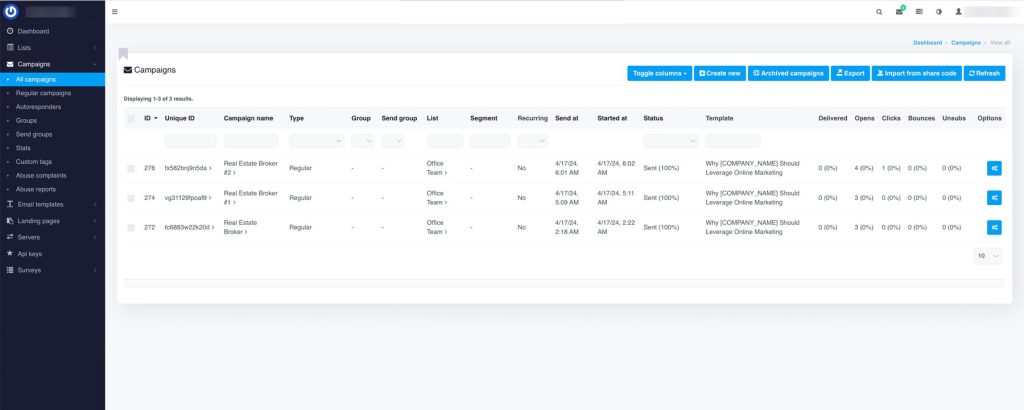
Opens & Clicks
See how recipients are engaging with your emails, and understand which links and calls to action generate interest.
Bounces, Unsubscribes & Complaints
Identify delivery failures and problem addresses, track when recipients choose to stop receiving communication, and monitor complaint activity connected to your sends.
Campaign Reporting & Campaign Statistics
Review performance at campaign level and compare results across campaigns and campaign groups.
IP Location Services
Use available location data to understand where opens and clicks originate.
Give Every User the Access They Need—And Nothing More
As more people work inside your email platform, access control becomes more important.
Control who can access the platform and review account activity.
User Management & User Groups
Create and manage administrative users, and organize users based on role or responsibility.
Permissions & Limits
Control what each user group can access and manage.
Two-Factor Authentication
Add another layer of account security.
Login Logs & Login Monitoring
Review successful, failed, and blocked login attempts, and maintain visibility into access activity across the platform.
Make Email Tester Fit Into the Way Your Business Works
Your email platform should connect with the systems around it—not operate in isolation.
Use API and platform settings to support integrations and configure system behavior.
API Keys & API Settings
Create secure keys for external applications and control platform-wide API access.
Subscriber API Actions & Campaign API Actions
Add or manage subscribers from external systems, and support campaign-related actions through integrations.
Request Signature Validation & IP Restrictions
Add additional validation to API requests, and allow or restrict API access by IP address or range.
Import & Export Settings
Control file sizes, resource usage, and processing limits.
Email Template Settings & Email Blacklist Settings
Manage the structure of system-generated emails and define how blacklist controls operate.
Campaign Settings
Configure campaign rules, attachments, tags, webhooks, restrictions, and other options.
Customization Settings & Social Links
Adjust selected operational and presentation settings, and configure social profiles displayed in supported areas of the platform.
Less fragmentation. More control. Better email operations.
Running Email for Clients?
Give every client its own space, with you in control of all of them from one admin view.
Each client gets its own account (called a customer account in the platform), with separate lists, limits, permissions and sending options.
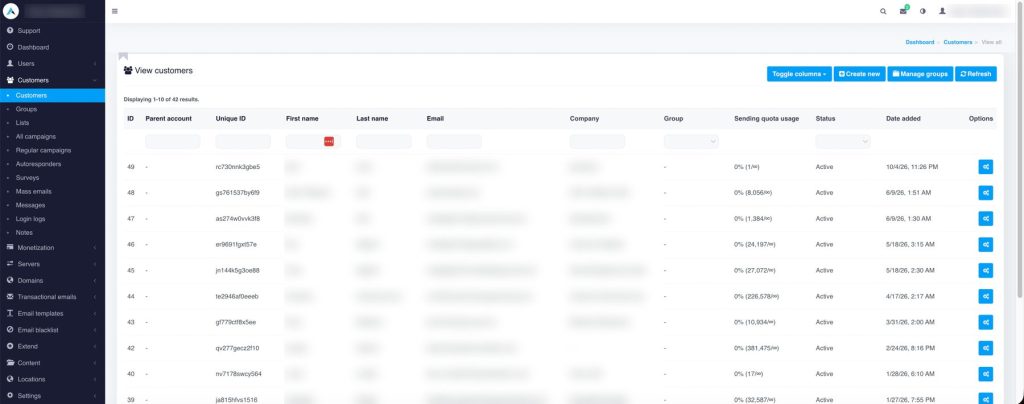
Customer Management & Customer Groups
Create and manage separate customer accounts and group them with different limits and permissions.
Customer Settings & Delivery Server Permissions
Set permissions, quotas, domain access, delivery access, and API availability. Control which sending options are available to different accounts.
Customer-Level Blacklists
Maintain separate blacklist controls for different customer accounts.
The Agency Problem and How Email Tester Helps
- A different tool, or a different login, for every client.
- One client’s poor list puts everyone’s sending at risk.
- No clean way to cap what each client sends.
- Client reports rebuilt by hand after every campaign.
- Every client in one platform, each with its own account.
- Per-client blacklists and delivery permissions keep each account’s sending in its own lane.
- Quotas and limits set per client or per client group.
- Campaign-level reporting is ready when the send finishes.
How Email Tester Keeps Every Step Connected
The workflow connects audience preparation, campaign execution and performance review.
Build
Import subscribers, structure lists, create segments, and capture the data that matters.
Create
Build emails with the editor that fits your team and personalize them with subscriber data.
Schedule or Automate
Send now, schedule ahead, create recurring campaigns, or run autoresponder sequences.
Configure Delivery
Connect your servers and domains and control bounce and complaint handling.
Send
Launch through your configured delivery environment.
Measure
Track opens, clicks, bounces, unsubscribes, complaints, and campaign performance.
Improve
Use real campaign data to shape what you send next.
From Scattered Email Activities to One Connected System
- Lists in one tool, campaigns in another, and delivery settings somewhere else.
- Nobody’s sure which server, domain, or bounce setup is actually live.
- Results get pieced together after the send.
- Access depends on whoever set the account up.
- Repeat campaigns rebuilt by hand every time.
- Audience, campaigns, automation, and delivery in one platform.
- Every delivery server and sending domain is visible and managed in one place.
- Campaign-level reporting ready as activity happens.
- User groups and permissions decide who can do what.
- Schedules and autoresponders keep them running.
Built for Teams Managing Email at Scale
Marketing Teams
Manage campaign creation, audiences, automation, and reporting in one platform.
Teams Managing Their Own Sending Infrastructure
Configure delivery servers, SMTP connections, sending domains, and deliverability controls.
Agencies Managing Multiple Clients
Manage separate customer accounts, permissions, limits, and sending options from one admin view.
Bring Every Send Into One System
Audience, automation, delivery, and reporting should work together—not compete for your team’s attention.
Related Arissa Solutions
Frequently Asked Questions
What Is Email Tester?
Email Tester is a complete email marketing application for marketing teams managing audiences, campaigns, automation, sending infrastructure, deliverability, access controls, and reporting from one platform.
Can I Manage Email for Multiple Clients?
Yes. Each client gets its own account, with separate lists, limits, permissions, and sending options, and you manage them all from one admin view.
What Types of Campaigns Can I Create?
You can create regular, scheduled, recurring, automated, mass, and A/B test campaigns.
Can I Use My Own Sending Infrastructure?
Yes. Email Tester supports SMTP servers, delivery servers, sending domains, tracking domains, bounce servers, feedback loop servers, and supported third-party email providers.
How Does Email Tester Support Deliverability Management?
The platform includes SPF and DKIM settings, suppression controls, blacklist management, bounce handling, and complaint management.
Can Different Users Have Different Access Levels?
Yes. Administrators can manage user groups, customer groups, permissions, limits, two-factor authentication, and login activity.
Can Email Tester Connect With Other Systems?
Yes. API access allows supported external applications to interact with subscriber and campaign functionality, with controls such as IP restrictions and request-signature validation.
What Can I Measure?
Track opens, clicks, bounces, unsubscribes, complaints, and campaign-level performance.