Clean Your Email List Before It Damages Your Sender Reputation
Every bounce, spam trap and invalid address on your list quietly damages your sender reputation and wastes send budget on inboxes that don’t exist.
Arissa’s MX Checker checks every address on your list before you send. It first confirms that each domain is valid and has a working mail server. Then a second level of cleaning flags spam traps, disposable domains and role-based addresses. The result is a campaign-ready list. MX Checker is part of the tool stack we provide to Arissa retainer clients.
A Dirty List Costs More Than the Emails You Waste
Bad data doesn’t just waste budget. It damages your ability to reach real customers.
Sender Reputation Damage
High bounce rates flag your domain as spammy. Once it's blacklisted, even valid emails stop reaching inboxes.
Spam-Trap Hits
Spam traps are honeypot addresses run by blacklist operators. A single hit can get your IP blocked.
Wasted Send Budget
Sending to dead inboxes costs money and returns nothing.
MX Checker finds those addresses before you send, so your list is clean before it goes out.
What MX Checker Provides
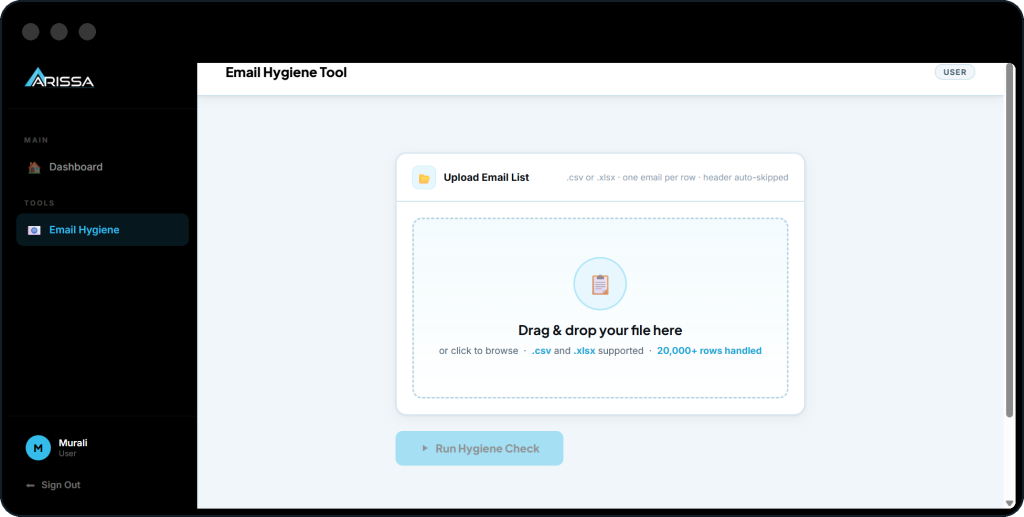
CSV or XLSX Upload
Upload a .CSV or .XLSX file with one column of email addresses.
Two Levels of Cleaning
First, domains and MX records are validated. Then a second level of cleaning checks the addresses that pass.
Domain & MX Validation First
Every domain is checked for validity and a working mail server before the second level of cleaning starts.
Safe, Risky or Invalid
Every address gets a status with full hygiene details on its row. Filter by status and export the list you want to send.
Check the Domain First. Clean the List Second.
Cleaning a list shouldn’t mean checking addresses by hand.
Upload your file and the first level starts straight away: each domain is checked for validity and for a working mail server. Addresses that pass go on to the second level of cleaning.
Find the Addresses That Will Bounce
High bounce rates flag your domain as spammy. These checks find the addresses that will bounce before you send.
- Step 01
Syntax Check
Checks that each address is correctly formatted.
- Step 02
MX Record Validation
Confirms the domain has a mail server. If there’s no MX record, the address can’t receive mail.
- Step 03
Typo Detection
Catches common domain misspellings like gmial.com, yahooo.com and hotmial.com. Addresses with these typos will bounce.
Catch the Addresses That Hurt Your Reputation
These checks find the addresses that put your sender reputation at risk.
Spam Traps
Addresses on known spam-trap domains are flagged. A single spam-trap hit can get your IP blocked.
Disposable Domains
Throwaway addresses from known providers, such as Mailinator, 10MinuteMail and YOPMail, are identified.
Role-Based Addresses
Shared inboxes like info@, admin@ and support@ are flagged, because they tend to draw more complaints than personal addresses.
Download a Campaign-Ready List
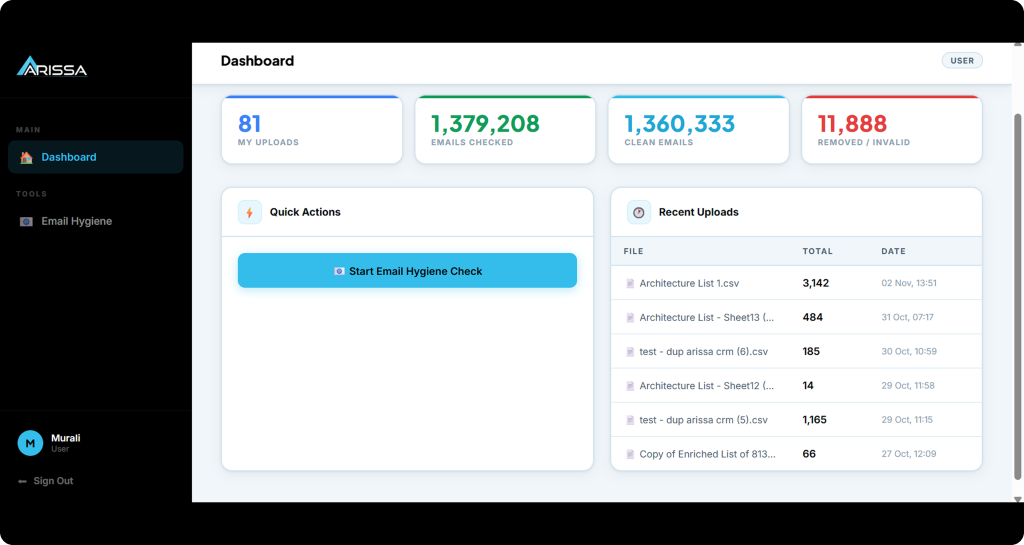
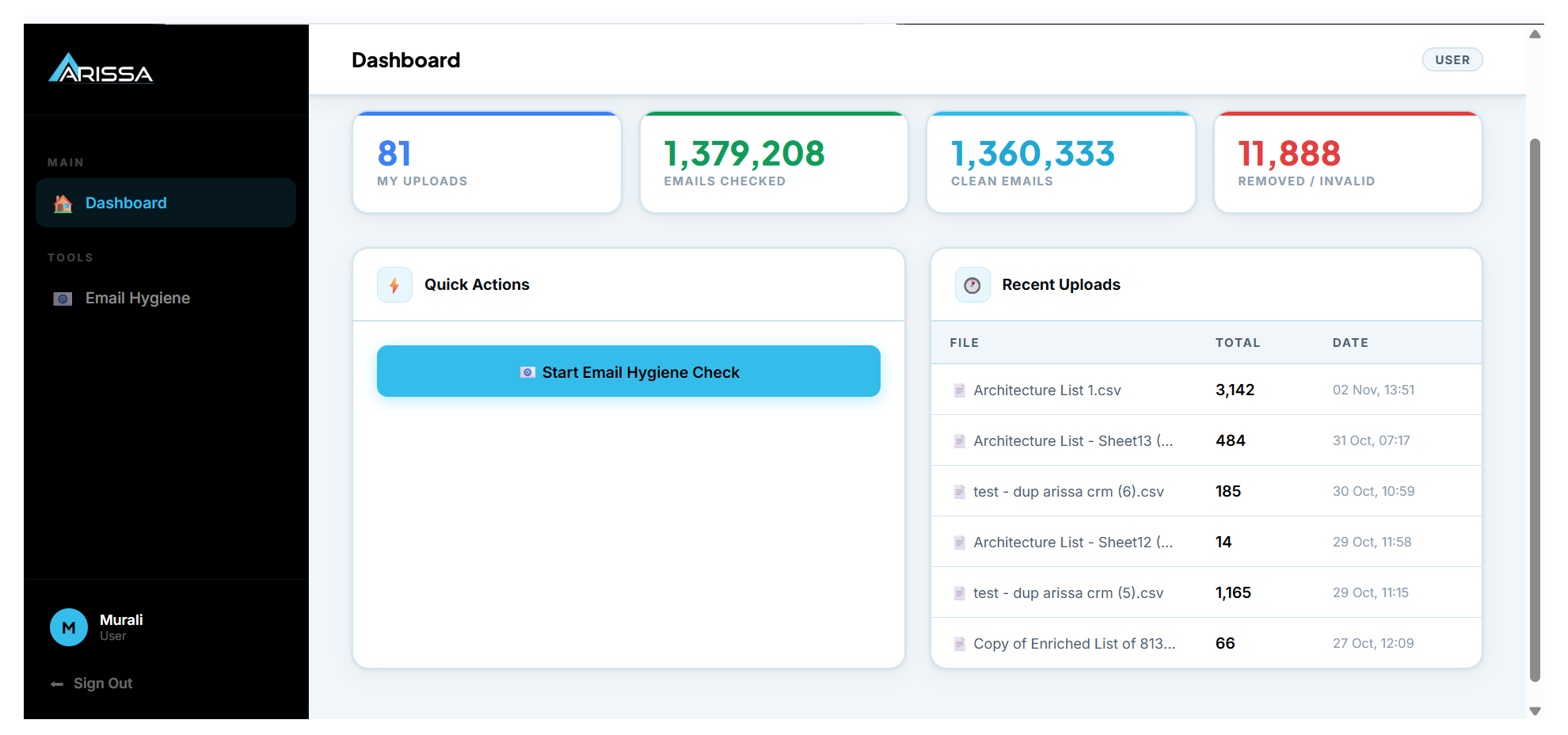
Every address is marked Safe, Risky or Invalid, with full hygiene details on each row. Filter by status and export the list you want to send.
Hygiene Details per Row
See the full hygiene details behind each address, not just its final status.
Instant Export
Download verified emails, filtered by status.
See how MX Checker could fit your sending process.
From a Risky List to a Campaign-Ready One Before
Upload Your List
Upload a .CSV or .XLSX file with one column of emails.
Run the Checks
Domains and MX records are checked first. Addresses that pass go through the second level of cleaning: spam traps, disposable domains and role-based addresses.
Download the Clean List
Filter by Safe, Risky or Invalid and export a campaign-ready list.
From a Risky List to a Campaign-Ready One
- Bounces flag your domain as spammy
- Spam traps risk an IP block
- Throwaway sign-ups left in the list
- Typos like gmial.com bounce
- Shared inboxes with high complaint rates
- Cleaning a list by hand takes days
- Addresses with no mail server found before you send
- Known spam-trap domains flagged
- Disposable providers identified
- Common domain misspellings caught
- Role-based addresses flagged
- Domains and MX records checked first, then a second level of cleaning
Built for Anyone Who Sends to a List
Teams Sending Campaigns
Turn any list into a campaign-ready one before it goes out.
Teams Protecting Sender Reputation
Remove bounces, spam traps and risky addresses before they flag your domain.
Teams With Large Lists
Check large lists without cleaning them by hand.
Send to People Who Can Actually Receive Your Mail
Book a consultation to find out how MX Checker fits into an Arissa retainer.
We use your details only to respond to your enquiry. See our Privacy Policy
Frequently Asked Questions
What does MX Checker check?
Syntax, MX records, spam-trap domains, disposable email providers, domain typos and role-based addresses.
What file formats can I upload?
CSV or XLSX, with the email addresses in one column.
Who can use MX Checker?
MX Checker is part of the tool stack we provide to Arissa retainer clients.
How does the cleaning work?
First, domains and MX records are checked. Addresses that pass go through a second level of cleaning for spam traps, disposable domains and role-based addresses.
What do Safe, Risky and Invalid mean?
Every address gets one of the three statuses, with hygiene details on each row. Filter by status to choose what to keep, review or remove before you export.
Do I need any technical setup?
No. Upload your file and download the cleaned list.
How do I get access?
Access comes with an Arissa retainer. Book a consultation to talk about the right service for you.
What does it cost?
MX Checker is provided to clients as part of an Arissa retainer. Book a consultation to discuss the right service.