Give Your Team One Place to See Search Performance, Pages & Keywords
Search Console by Arissa brings live Google Search Console data, page-level health, keyword tracking and recurring reporting into one platform — giving teams a clearer, more current view of what’s ranking, what’s slipping, and which pages need work.
Search Visibility Shouldn’t Require Checking Five Different Tools
A single week of SEO work touches many moving pieces: clicks and impressions shifting, pages gaining or losing position, keywords to track, pages waiting to be indexed, and reports that need to reflect it all accurately.
When Search Console, the keyword index sheet, PageSpeed, the CMS and the reporting template all live separately, teams lose time pulling information together instead of acting on it — and it becomes harder to know which site slipped, which page is slow, or whether a target keyword is actually set on the page.
Search Console by Arissa
Search Console by Arissa connects search performance, page health, keyword targets and indexing status into a single working platform, so teams can manage every site’s search work from one place instead of switching between tools.
What Search Console by Arissa Provides


See Every Site’s Health Before You Open It
Without a way to see it at a glance, it’s hard to know which of your sites needs attention today.
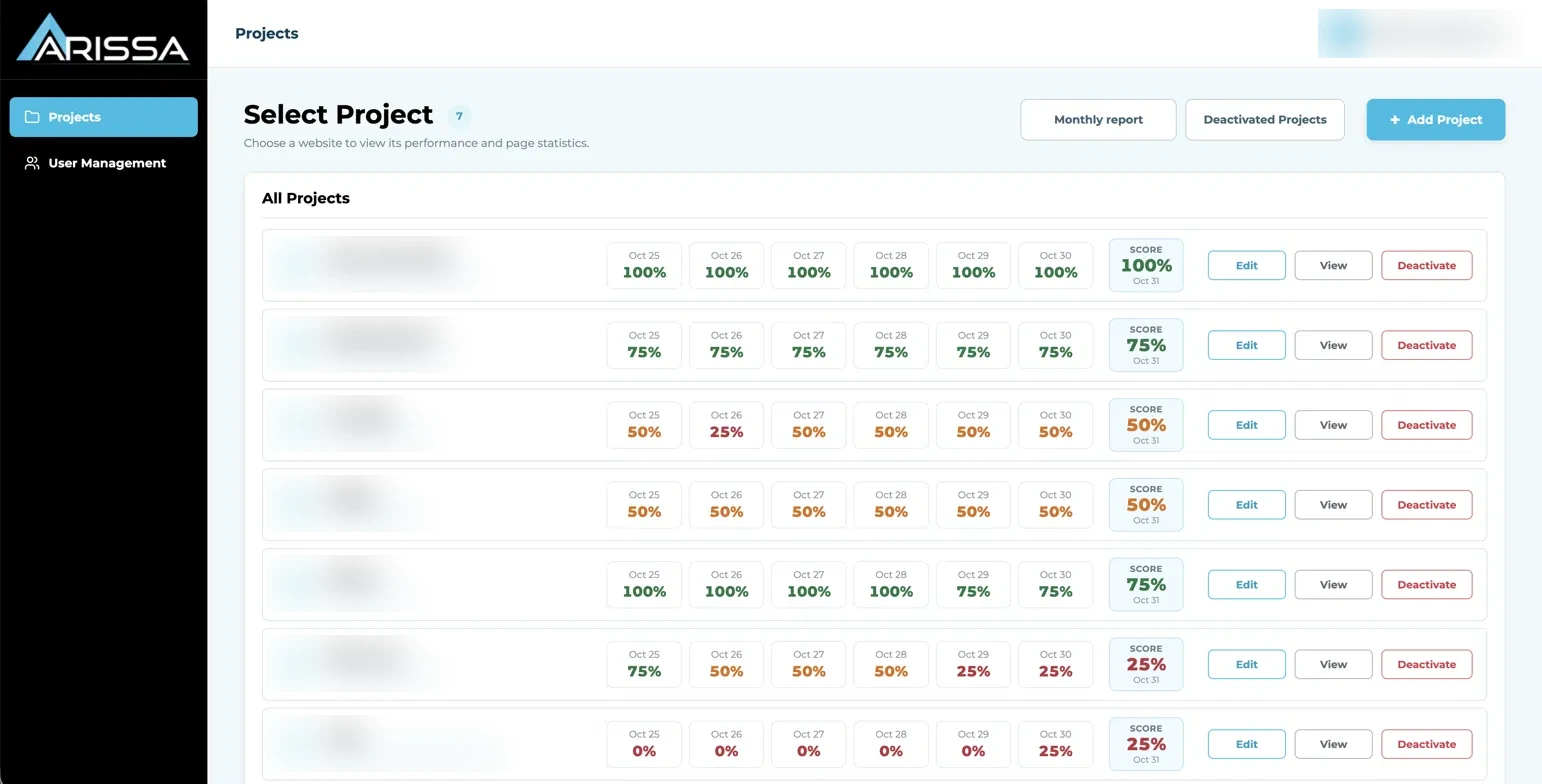
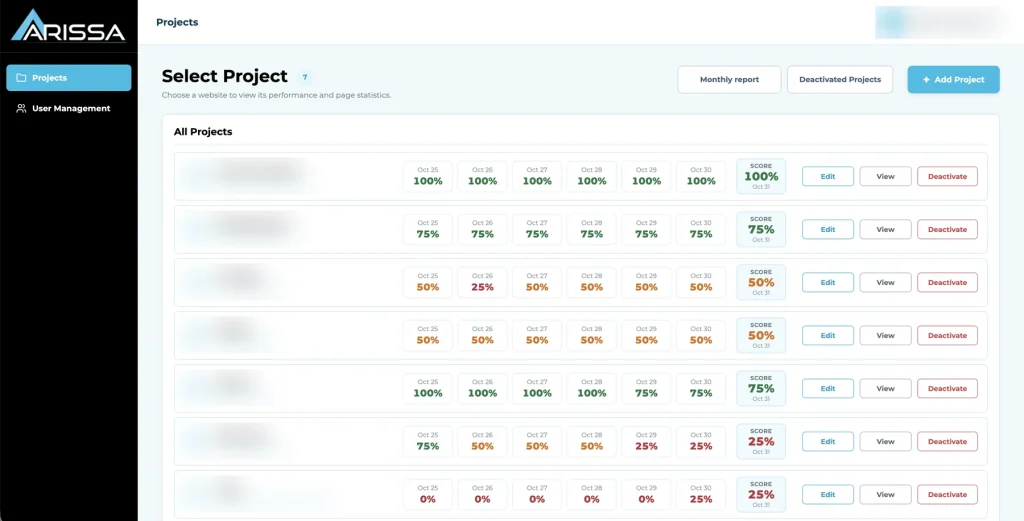
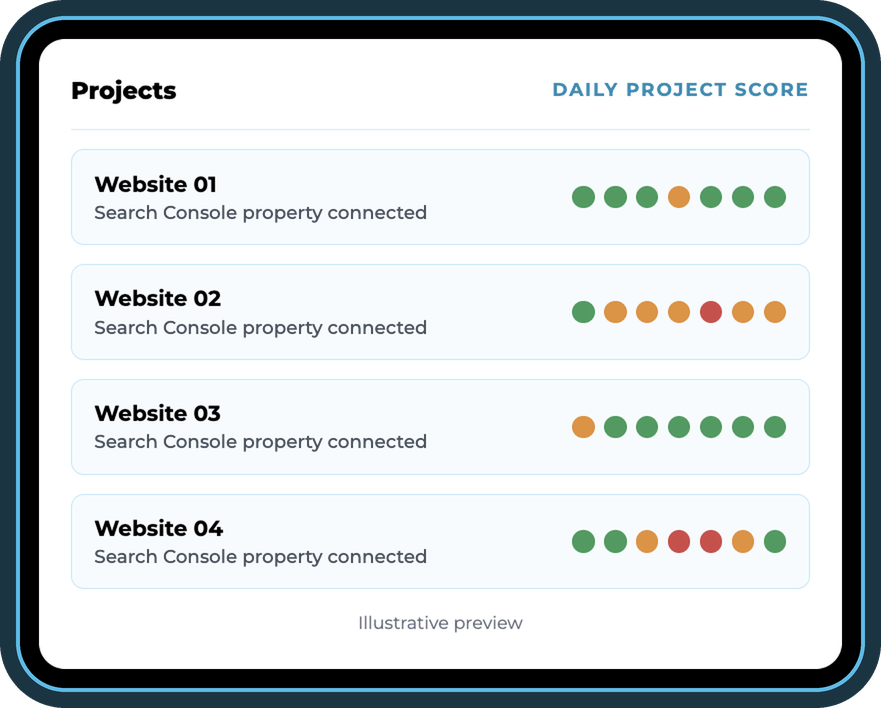
The Projects screen lists every active website alphabetically with its URL, connected Search Console property and a daily Project Score for the last six days plus today — calculated from the site’s own clicks, impressions, CTR and average position, and color-coded green, orange or red so a slip stands out immediately.
Project Score by Day
Each day’s score compares the site’s last 30 days with the 30 days before across clicks, impressions, CTR and position, so a slip shows the day it starts.
Portfolio Comparison
Compare scores across all sites side by side to see which ones are holding and which are slipping.
Project Management
Add, edit, deactivate and reactivate projects without losing their data. Every project needs a connected Search Console property.
See What Changed — Then Find Out Why
A site-wide number only matters if you can get to the query, page or device behind it.
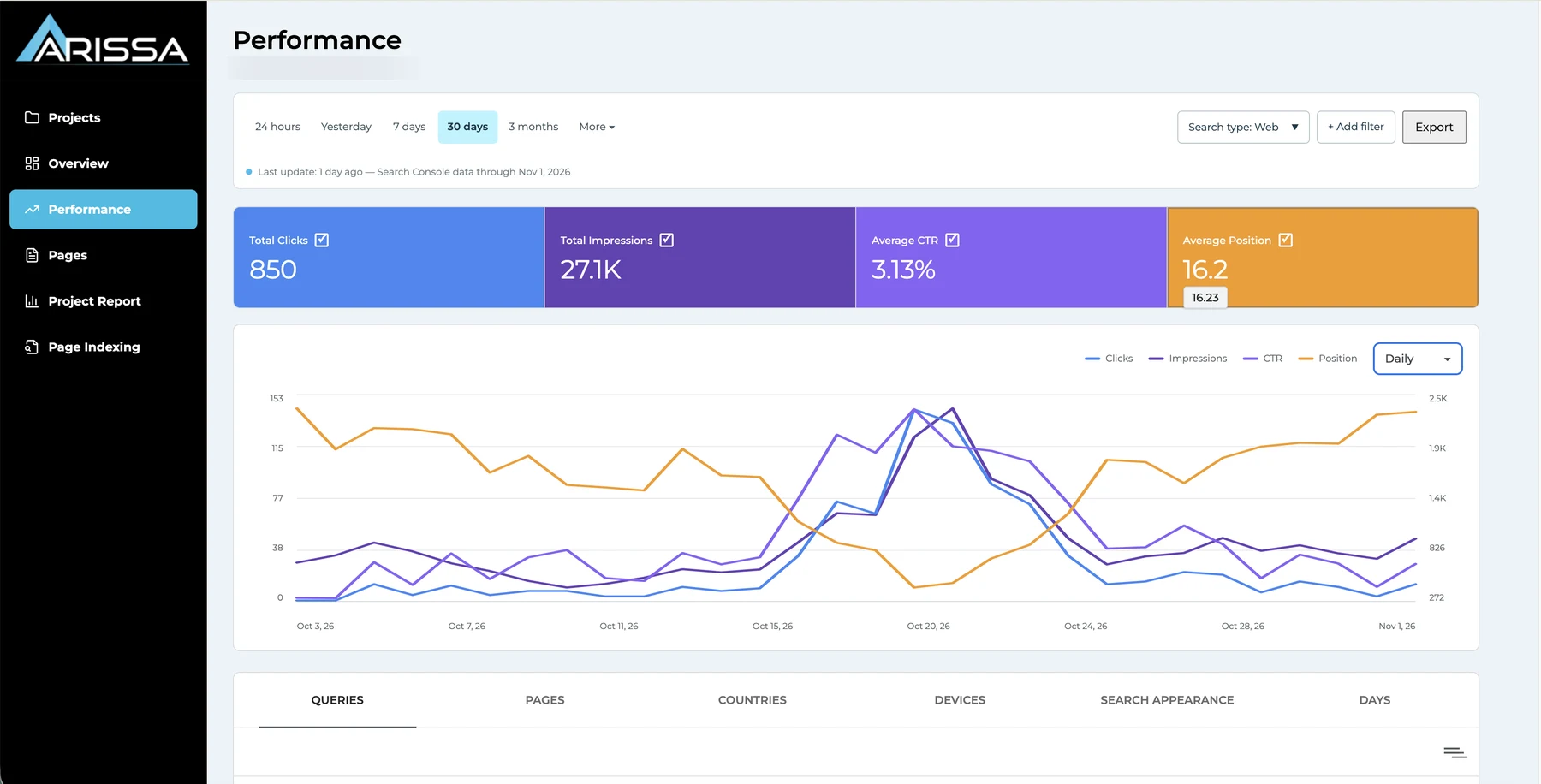
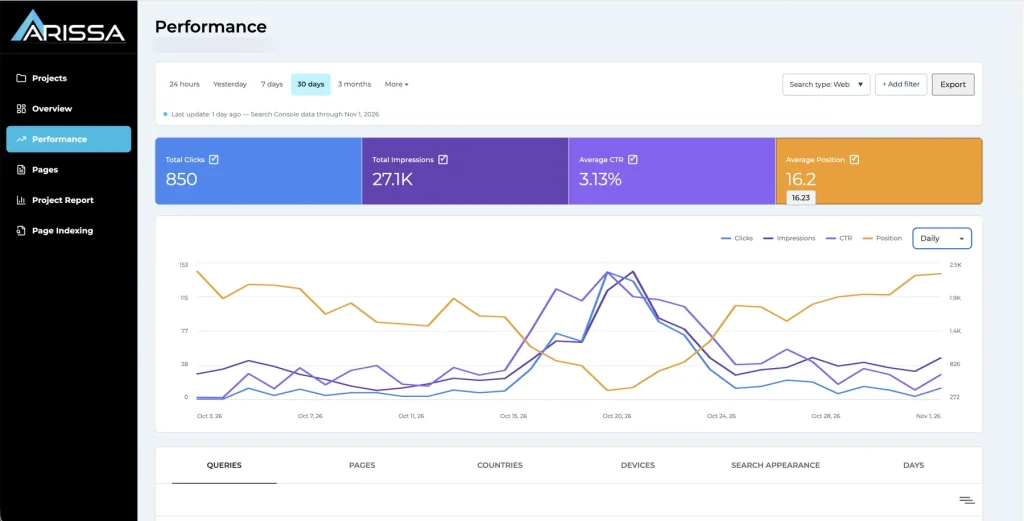
The Overview compares the latest 7, 30 or 90 days with the previous period across clicks, impressions, CTR and average position, with a day-by-day table marked with each day’s change. The Performance view goes deeper: 24 hours, yesterday, 7 days, 30 days, 3 months or a custom range, across Web, Image, Video and News, grouped hourly, daily, weekly or monthly, with up to 16 months of Search Console history.
Period Comparison
See every metric against the previous period and the day before, with Google’s last update date shown.
Queries · Pages · Countries · Devices · Search Appearance · Days
Switch tables without starting over, and filter by contains, doesn’t contain, exact match, exclusions or regex.
Export
Export any performance view for client reporting or deeper analysis.
See Every Page’s Keyword, Score and Speed on One Row
A page’s search performance, its focus keyword and its technical health usually live in three different tools.
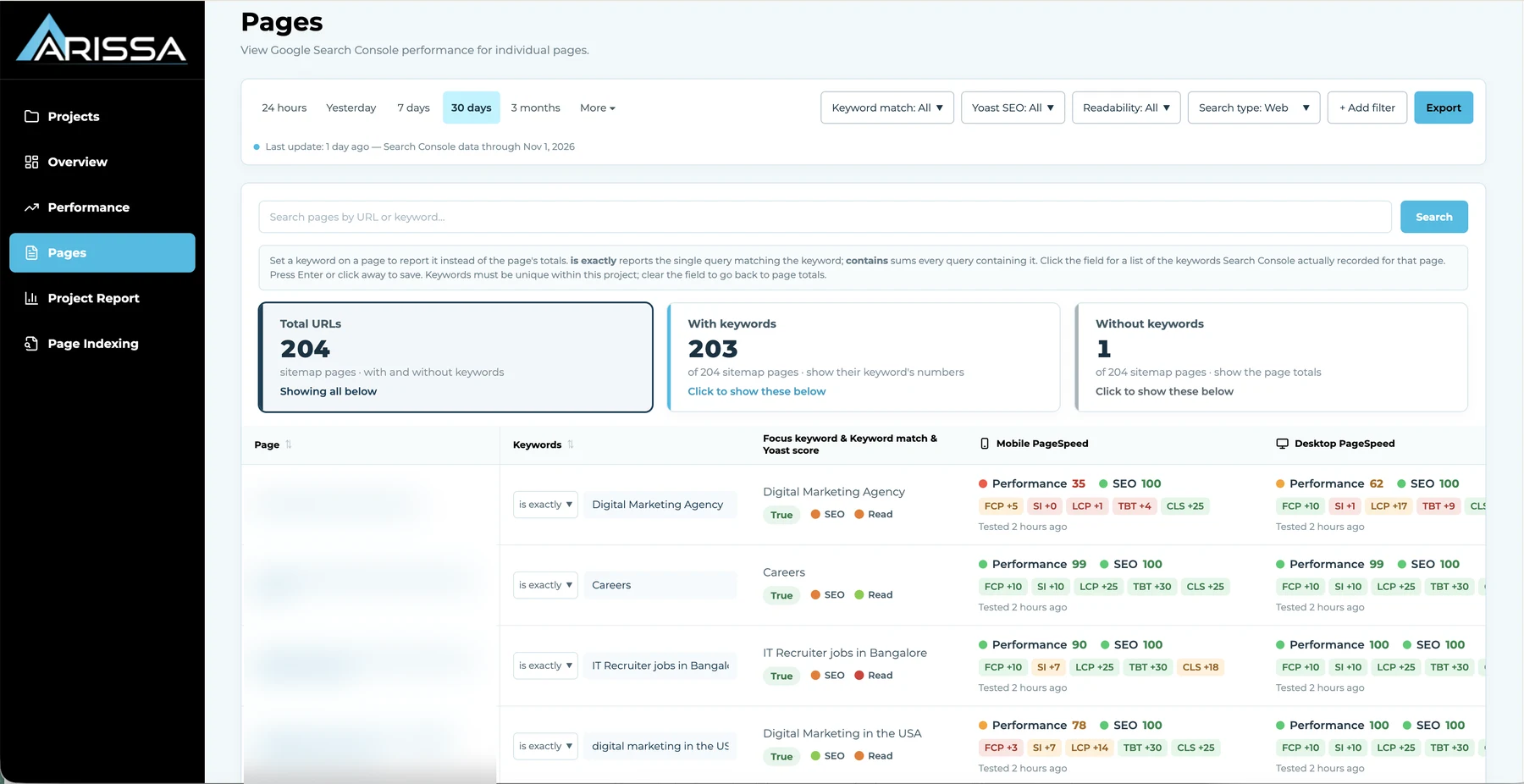
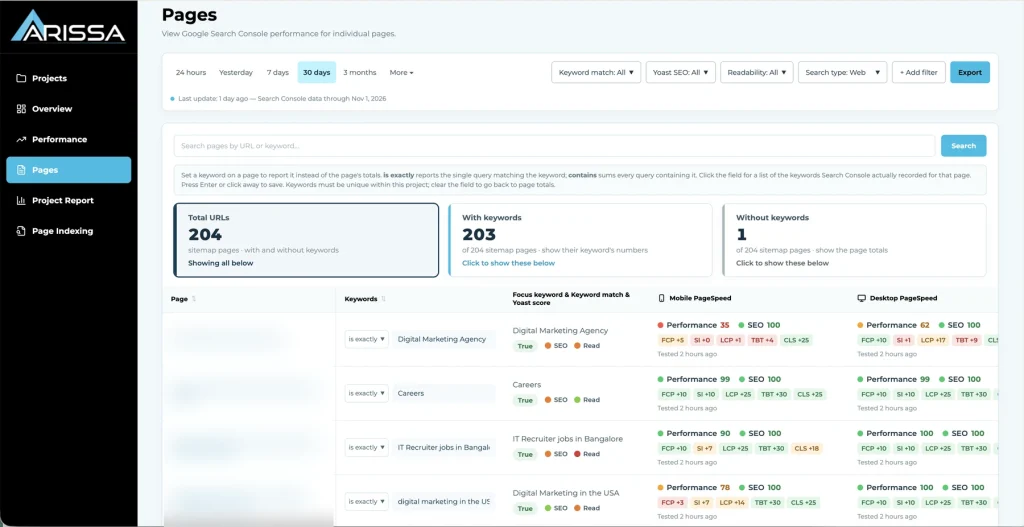
The Pages view lists every URL in the submitted sitemaps — including pages with no impressions — alongside its clicks, impressions, CTR and position, its focus keyword, a keyword-match check, Yoast SEO and readability scores, and mobile and desktop PageSpeed. Summary cards split the list into pages with and without keywords, and the whole table filters and exports.
Keyword Match: True / False / Not Set
The keyword in your imported target list is checked against the focus keyword set on the page. True means they match, False means they don’t, Not set means the page has no keyword in the target list yet. Each state filters in one click.
Yoast SEO & Readability Scores
Green, orange or red per page. Red means the title, meta description or content needs work. Available for WordPress sites with the Yoast plugin; every other feature works for any site with a Search Console property.
Mobile & Desktop PageSpeed
Performance and SEO scores with the Lighthouse metrics behind them (FCP, Speed Index, LCP, TBT, CLS), the time of the last test, and Google’s bands: 90–100 good, 50–89 needs improvement, 0–49 poor.
Track the Keywords Your Strategy Actually Depends On
Google shows the queries it recorded. Your team needs to follow the ones it chose to target.
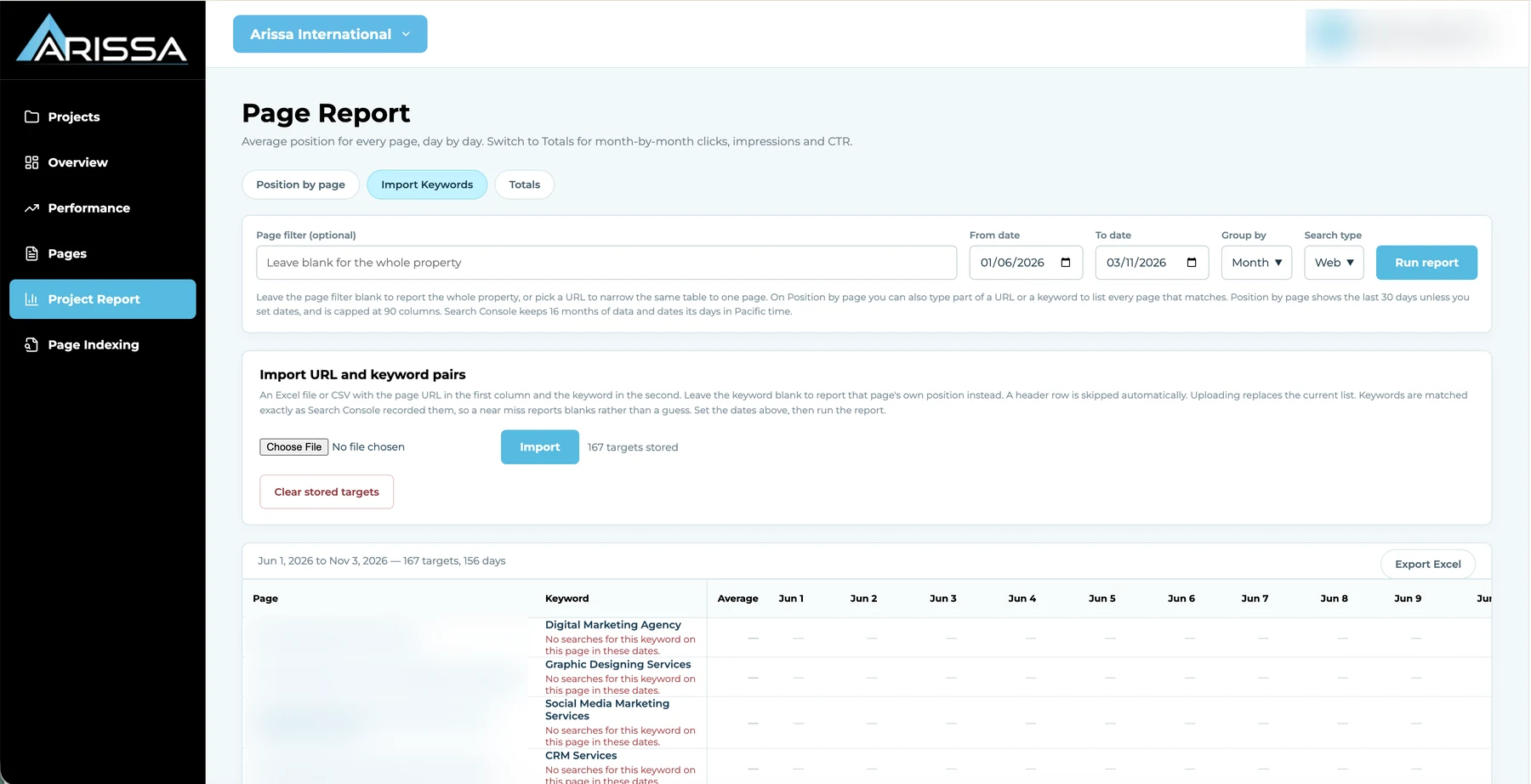
Upload the page-and-keyword index sheet your team already maintains — every sitemap URL and its focus keyword — through Excel or CSV, and the dashboard tracks each page against its target. For priority pages, assign a Custom Key to report one exact query or every query containing a term instead of the page’s totals.
Import From Your Index Sheet
Bring in page-and-keyword targets without re-entry. Upload a new list to replace the old one, or clear and start fresh.
Custom Key per Page
Track an exact query or a containing term for any page, choosing from the queries Search Console actually recorded for it.
Google-Recorded Data Only
If a target keyword has no matching Search Console query, the dashboard shows a blank rather than an estimated match.
Stop Rebuilding the Same Report Every Cycle
Reporting is only useful if it arrives on time and doesn’t have to be assembled by hand.
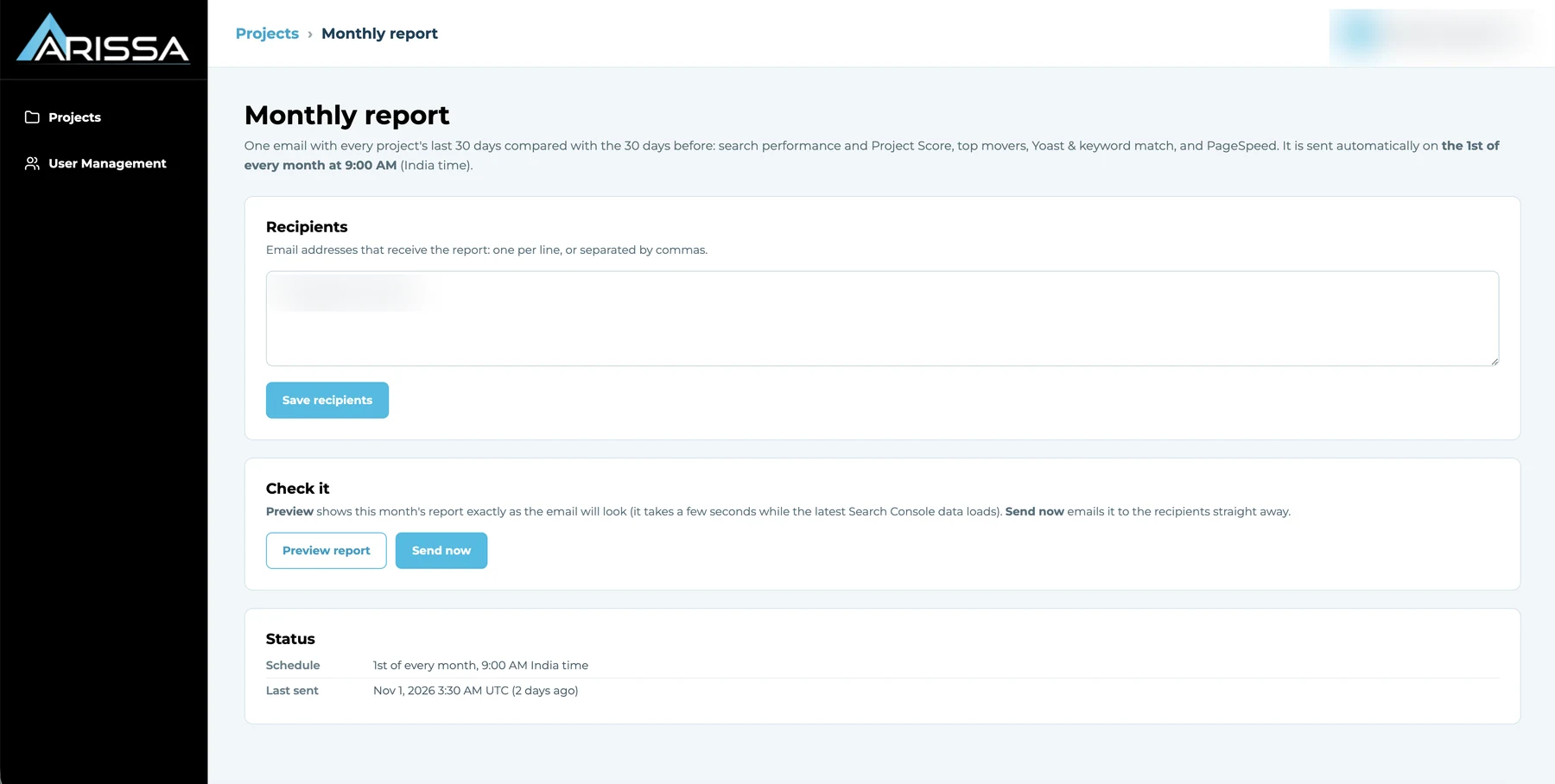
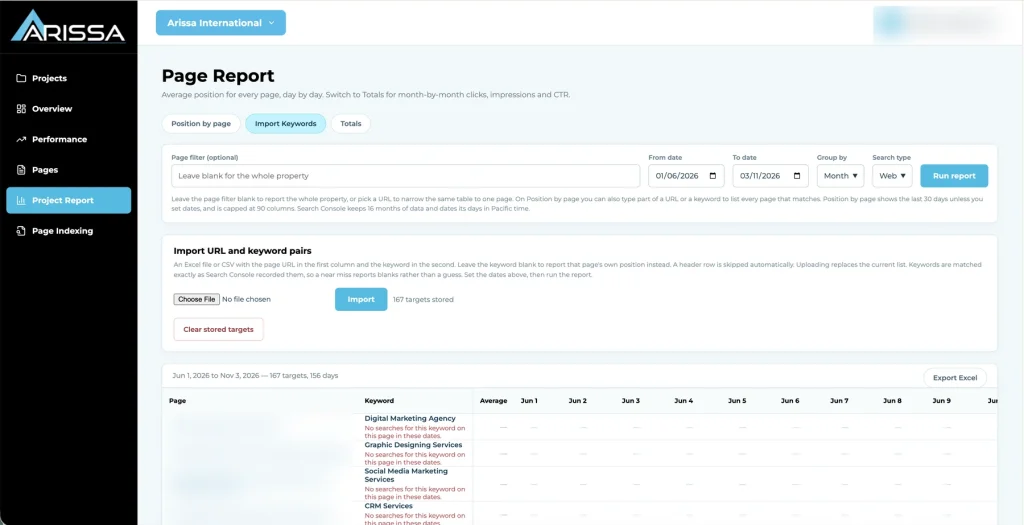
The Project Report gives three on-demand views — position by page, performance totals, and imported keywords — filtered by URL or keyword, date range, grouping and search type, and exportable. On top of that, a Monthly SEO Report email goes to your chosen recipients every month, covering every project’s last month against the month before.
Position by Page
Daily average position for every page with its tracked keyword, defaulting to 30 days and extending to 90 columns of daily data.
Performance Totals & Imported Keywords
Clicks, impressions, CTR and position by day or month, and the page-and-keyword combinations your team follows.
Monthly SEO Report
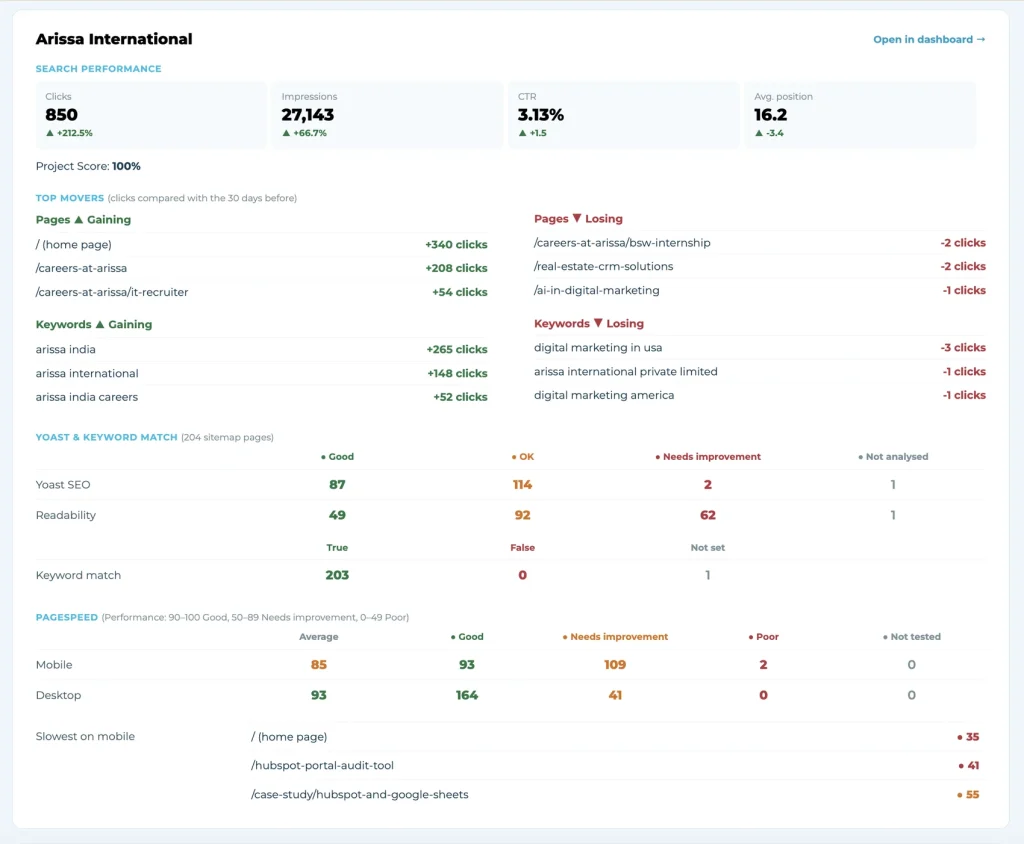
Per project: search performance and Project Score, the biggest gains and drops across pages and keywords, Yoast and keyword-match counts, and PageSpeed averages, including the slowest mobile pages. Preview before it goes, or send it immediately when a client needs it now.
Know Which Pages Google Can Actually Serve
Pages that aren’t indexed can’t rank — and finding that out shouldn’t mean a separate check per site.
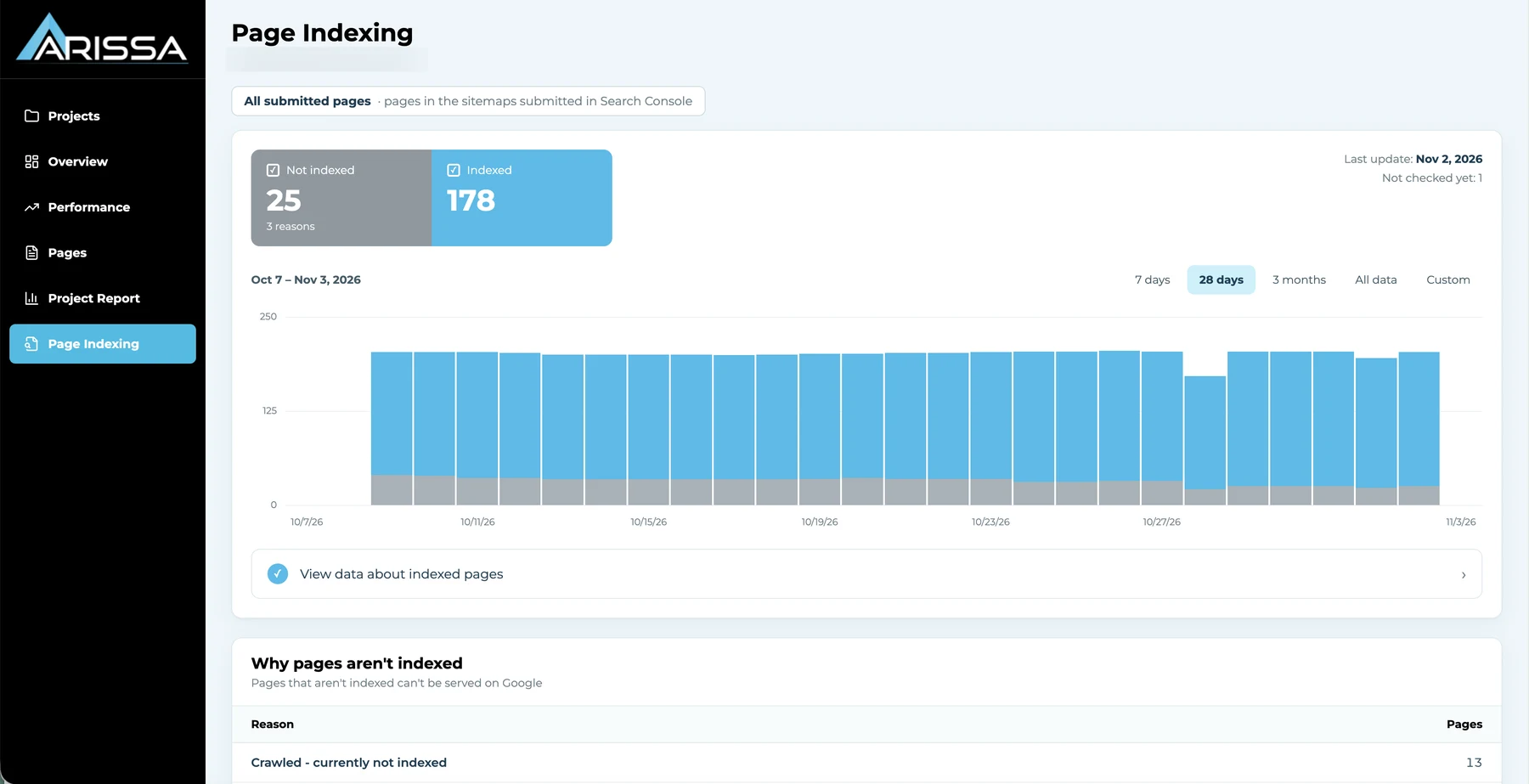
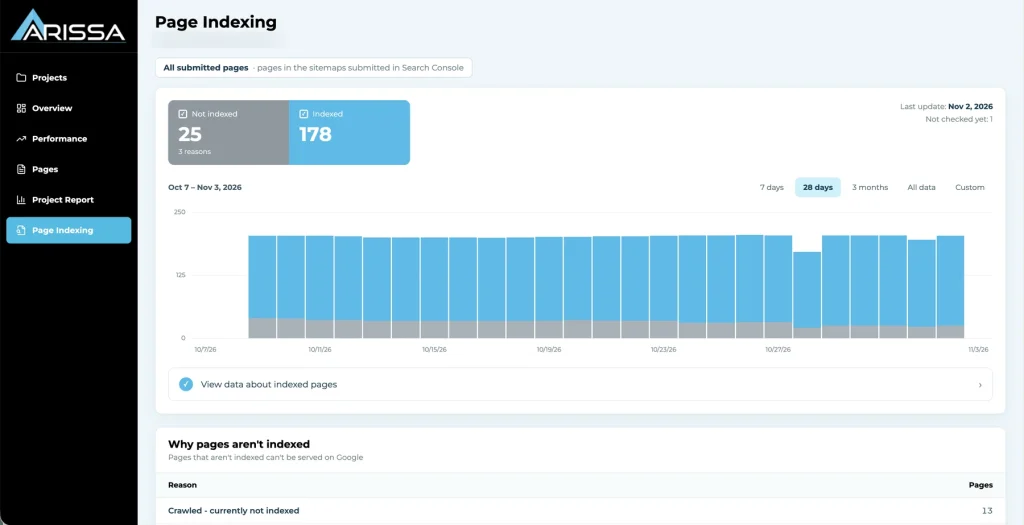
The Page Indexing view shows, for every page in the submitted sitemaps, how many are indexed and how many are not, with a timeline over 7 days, 28 days, 3 months, all data or a custom range, and Google’s last update date.
Indexed vs. Not Indexed
See the current split and how it has moved over time, so a sudden drop is visible the day it starts.
Why Pages Aren’t Indexed
Every excluded page grouped by Google’s own reason — Crawled – currently not indexed, Discovered – currently not indexed, URL is unknown to Google — with the count for each.
Right Beside Performance
Indexing sits next to page health and search data, closing the loop between publishing a page and seeing it rank.
Give Each Role the Right Level of Control
Account administration stays separate from everyday search analysis, so teams work freely while Admins stay in control.
The dashboard supports three roles. Users can register themselves or be created by an Admin; new registrations start as User, and only Admins change roles.
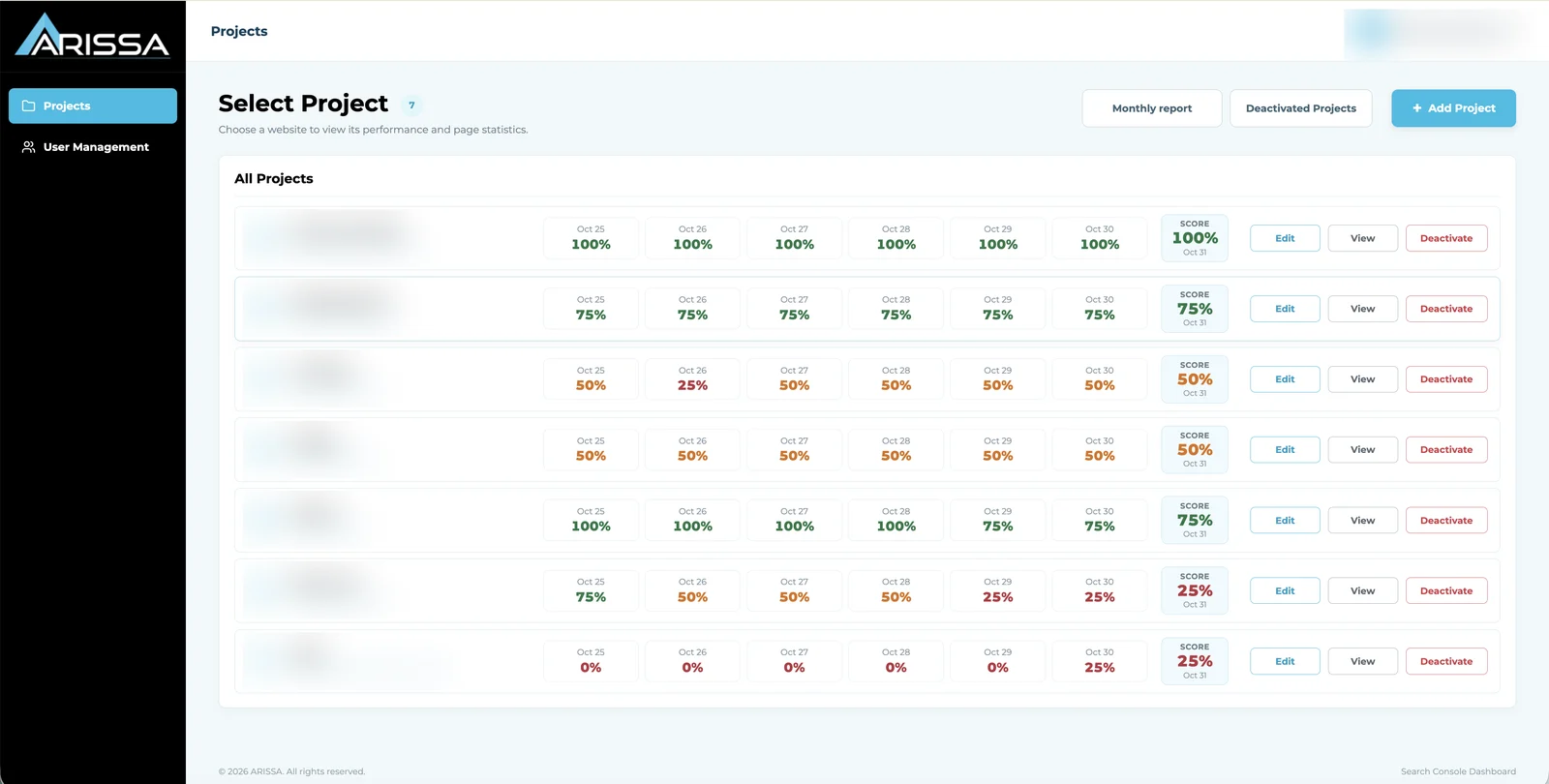
Admin
Manages projects and user accounts: create and edit users, change roles and status, reset passwords, activate or deactivate access, and remove accounts. Safeguards prevent Admins removing their own access.
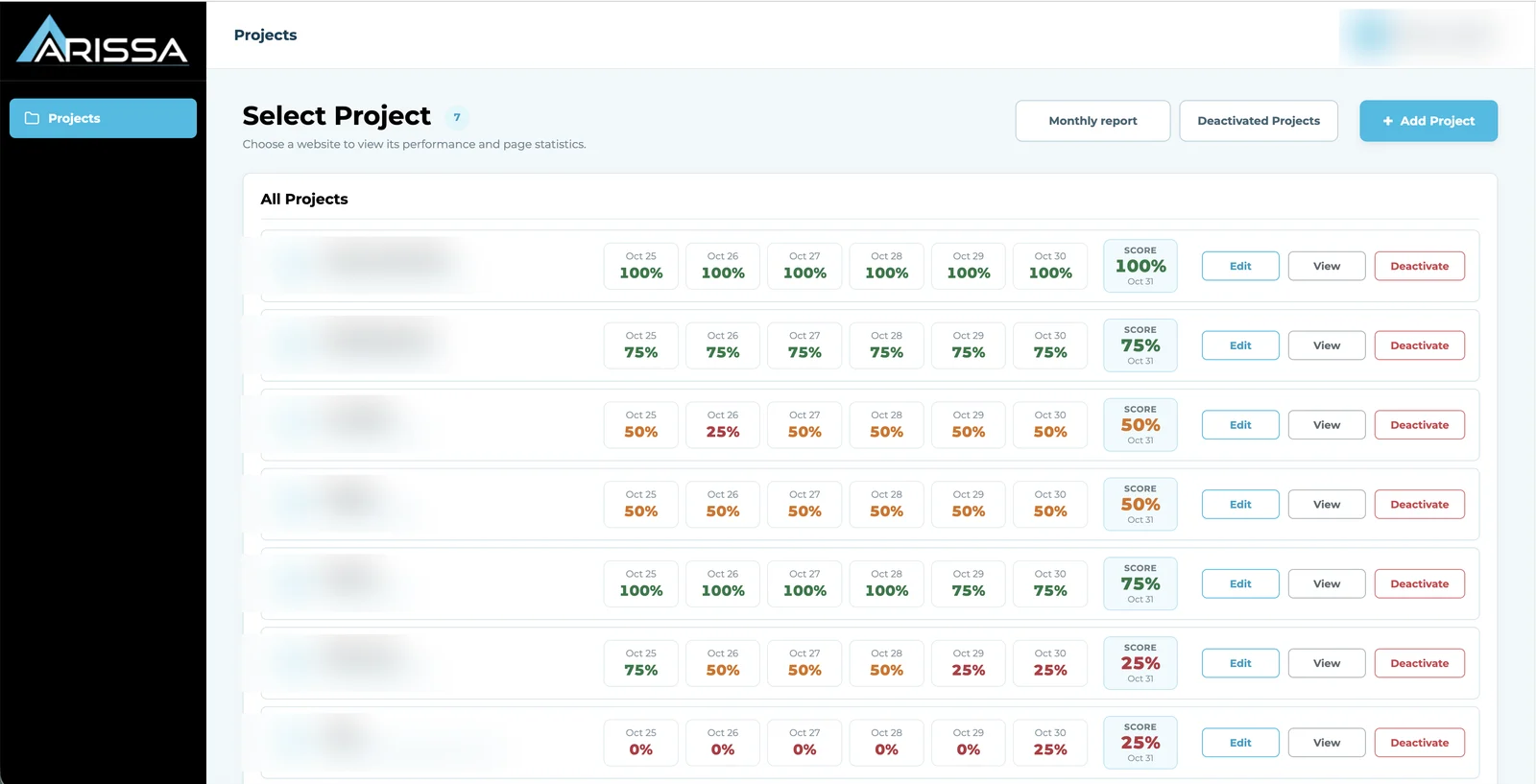
Team Lead
Manages projects and works directly with search-performance data.
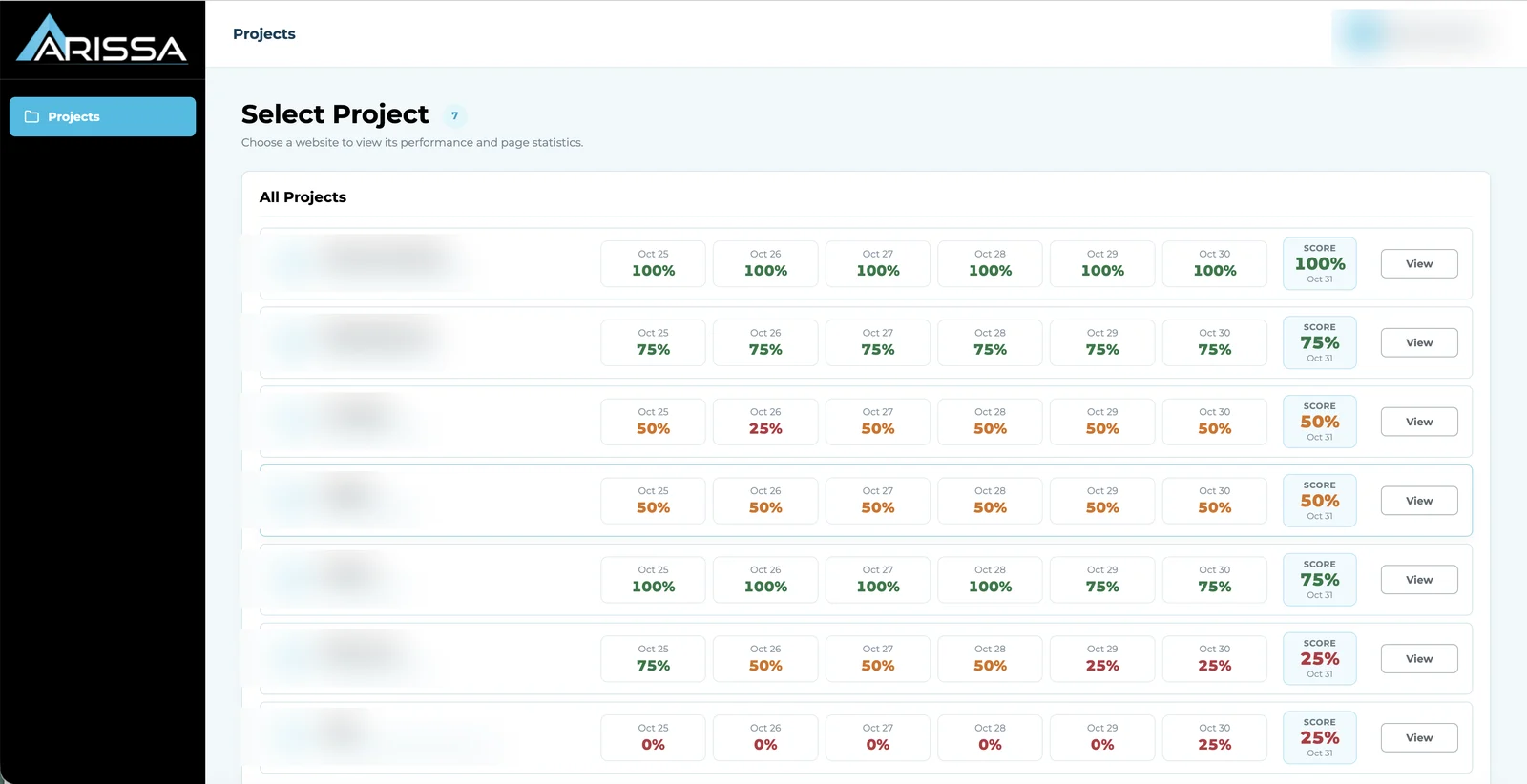
User
Works with dashboards, pages, Custom Keys, keyword targets, indexing, reports and exports, and manages their own profile and password. Inactive accounts cannot sign in, and repeated wrong passwords trigger a temporary login pause.
See how this could work for your sites.
How Search Console by Arissa Fits Into a Week’s Work
Scan
Start with the Projects list to see which sites’ scores moved overnight.
Compare
Open the Overview to see clicks, impressions, CTR and position against the previous period.
Investigate
Use Performance to find the queries, pages, countries or devices behind the change.
Check Pages
Review Pages for keyword mismatches, red Yoast scores and slow mobile PageSpeed.
Track Targets
Check imported keyword positions and adjust Custom Keys on priority pages.
Verify Indexing
Confirm new pages are indexed and review Google’s reasons for any that aren’t.
Report
Run the Project Report for a client review, or let the Monthly SEO Report land in your inbox each month.
Scan
Start with the Projects list to see which sites’ scores moved overnight.
Compare
Open the Overview to see clicks, impressions, CTR and position against the previous period.
Investigate
Use Performance to find the queries, pages, countries or devices behind the change.
Check Pages
Review Pages for keyword mismatches, red Yoast scores and slow mobile PageSpeed.
Track Targets
Check imported keyword positions and adjust Custom Keys on priority pages.
Verify Indexing
Confirm new pages are indexed and review Google’s reasons for any that aren’t.
Report
Run the Project Report for a client review, or let the Monthly SEO Report land in your inbox each month.
From Scattered Tools to One Search View
- Logging into each Search Console property separately
- Focus keywords kept in a spreadsheet
- PageSpeed and Yoast checked page by page in other tools
- Indexing problems found late
- Positions tracked manually
- Monthly client reports rebuilt by hand
- Every site in one list with a daily Project Score
- Index sheet imported and checked against each page
- Scores shown on every page’s row, filterable
- Indexed / not-indexed counts and reasons per site
- Daily position per page and keyword, exportable
- Monthly SEO Report emailed automatically every month
Built for Teams Managing Search Across Many Sites
Agencies
Bring every client site into one process for monitoring, page health, keyword tracking and monthly reporting.
In-House SEO Teams
Manage multiple websites, brands, markets or business units from one search-performance environment.
Team Leads & Managers
See which sites and pages are slipping without opening each property — and get the monthly summary in your inbox.
Google Search Console remains the underlying data source. Search Console by Arissa organizes how teams work with it. Built by Arissa and used daily by Arissa’s own team across client projects.
Bring Every Site’s Search Work Into One Place
Give your team a clearer view of performance, pages, keywords and indexing — across every website you manage, from one platform.
Let’s build a search workflow around the way your team operates.
Frequently Asked Questions
Does Search Console by Arissa replace Google Search Console?
No. Google Search Console remains the data source. The dashboard gives teams one structured place to work with that data across many sites.
Can we add a website that doesn’t have Search Console?
No. Every project needs a connected Search Console property; that’s where the performance, page and indexing data comes from.
What is the Project Score?
A daily score out of 100 for each site. Every day, the site’s last 30 days of clicks, impressions, CTR and average position are compared with the 30 days before, and each metric that improved earns 25 points. It’s shown for the last six days plus today and compared month on month in the Monthly Report.
How does the keyword match check work?
The keyword in your imported target list is compared with the focus keyword set on the page: True, False, or Not set when the page has no target keyword yet. Each state filters in one click.
Does it show PageSpeed and Yoast scores?
Yes. Mobile and desktop PageSpeed with Lighthouse metrics for every page. Yoast SEO and readability scores are available for WordPress sites running the Yoast plugin.
Can we see which pages are indexed?
Yes. The Page Indexing view shows indexed and not-indexed counts over time, grouped by Google’s reason for each excluded page.
What’s in the Monthly Report?
One email every month covering every project’s last month against the month before: performance and Project Score, top movers, Yoast and keyword-match counts, and PageSpeed. It can be previewed and sent on demand.
Does it support different team roles?
Yes. Admin, Team Lead and User roles with different levels of project and account control.